
Building
Dialogs
A dialog is a menu screen a server opens on a player: a shop, a settings menu, a warp list, a server guide, a punishment panel. Its buttons run commands, it can scroll, and it looks like part of Minecraft. Studio lets you design one the way you would design an app screen, with sidebars, cards, switches, item slots, pictures and pages.
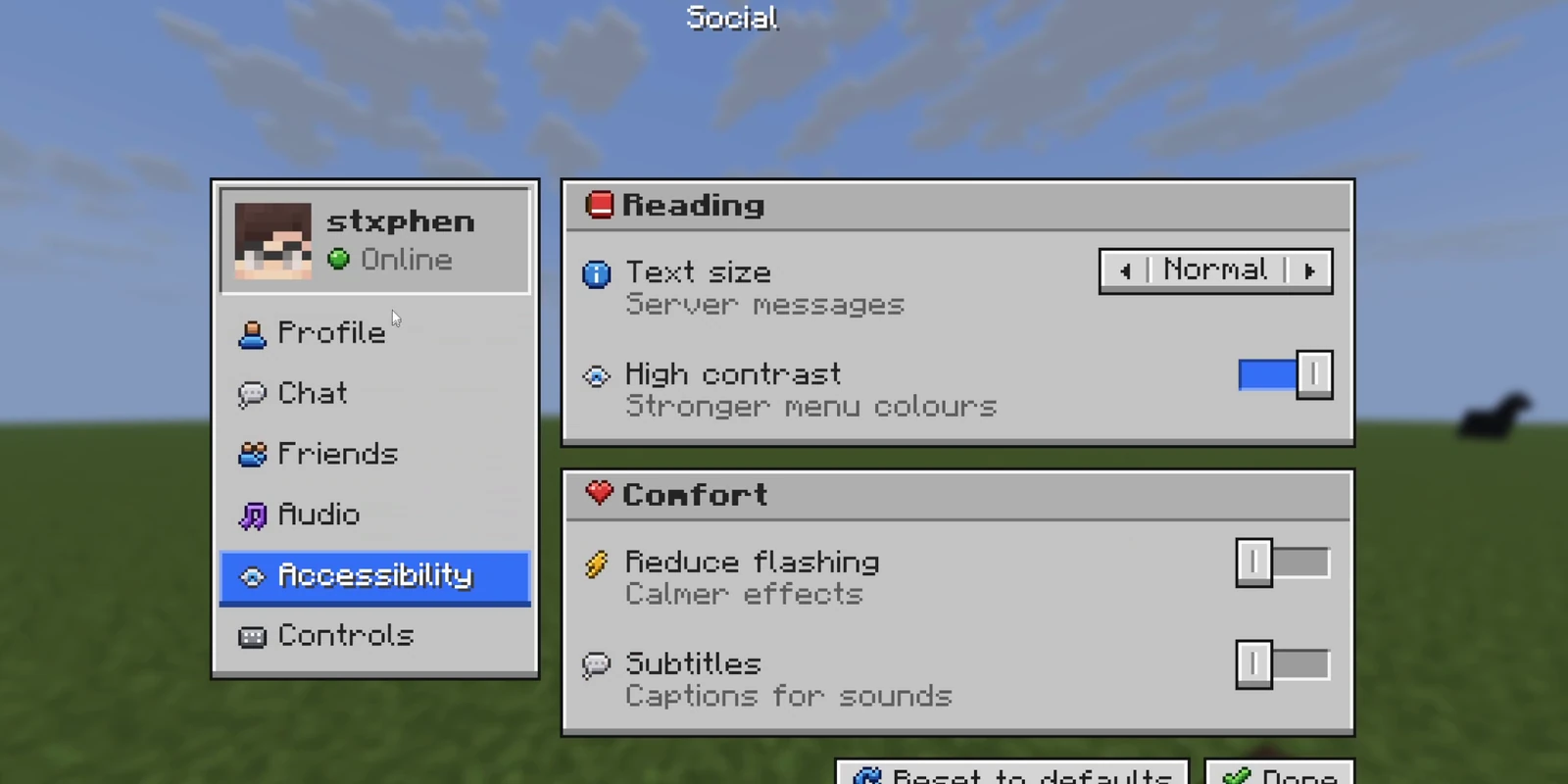
Dialog screens were added to Minecraft in 1.21.6. Unlike a chest GUI, nothing can be dragged in or out of a dialog, though it can show items with their tooltips and even let a player rearrange their own inventory.
What you need#
| Minecraft | 1.21.6 or newer on the server and the client. Older versions have no dialog screen; use a GUI there. |
| A plugin | RP Engine or Dialog Engine, our free server plugins. They open the dialog and fill in what is different for each player (their name, balance, inventory). A plain datapack also works, with less: see Without RP Engine. |
| The resource pack | Everything drawn on the screen is pictures in your pack, so players need the pack too. |
Several features need a recent plugin version: see Plugin versions.
Making your first dialog#
- 1
Add a dialog to your pack
Open a pack, press Add asset and pick Dialog. Then choose:
- Generate: describe the screen and the AI designs it. See Generating one.
- Blank: start from nothing (a title, a line of words and a Close button) or from a template: an event shop, a quest board, a server hub, a rank store, daily rewards, a crate, a profile, warps, rules or a welcome screen.
Your dialogs are listed on the pack's Dialogs tab.
- 2
Change it in the editor
Click the dialog to open the editor. Double-click words to retype them, drag pieces to move them, and give each button something to do under When clicked (the AI leaves that to you). See Finding your way round the editor.
- 3
Send it to your server
On a server running RP Engine, press Sync in Studio. Sync sends your pack (pictures and dialogs together) to you in game, in seconds, without a restart. The first time, it asks you to link the pack to your server: see The plugin. Our test server already runs RP Engine if you don't have a server yet.
- 4
Open it
In game, run:
/rp dialogs                     # list the dialogs on the server
/rp dialog studio:quest-board   # open one
The dialog's id is shown in its settings panel in the editor. To let players open it themselves, see Letting players open it.
Generating one#
Say what the screen is for: "a settings menu with video, audio and chat", "a pet menu where you can rename and summon your pet", "a crate menu for a prison server". The AI first decides how it should look: a kit, colours (or the ones you name, or your pack's Style Guide palette), what leads the screen (a banner, a big featured card, a header row, or nothing but the content), whether every card gets a colour of its own, how loud it is, and what should move. Each generation starts from a different mix of these, so two prompts for a shop don't come back as the same screen. Ask for a banner by name and you get one. Then it builds the screen from the editor's own pieces, has the image model draw any banner and up to four illustrations (a crate, a key, a gift: things that aren't vanilla items), and looks at the result as a player would. It fixes cut-off labels and screens that are too tall, and makes one thing the focal point, before saving. Generated dialogs are HD.
- A dialog costs 30 AI Credits.
- Variations makes up to three dialogs from one prompt, each with a different look and a different arrangement, at 30 credits each.
- Tick Multi page for a sidebar or tabs with a page behind each button, every page written for its name. Name the pages you want in the prompt, up to ten. It costs 30 credits for the first page and 5 for each one after.
- Ask for a form ("the player types a reason and picks a length") and it adds inputs.
- Numbers on a generated dialog (balances, prices, player counts) are samples for you to change.
It names the buttons; you wire them
The AI never invents a command. Buttons arrive named and described, with no action, because a command does real things on your server. The exceptions are controls bound to a player setting and buttons that turn pages, which are wired for you.
Putting it on your server#
There are two ways, and you can use both.
Sync, with RP Engine. Press Sync and the dialog opens straight away
with /rp dialog <id>, no restart needed. RP Engine also writes your dialogs
into a datapack, so after the next restart each one also has a real
namespace:id you can open from a command block or your own datapack.
As files. The editor's Export menu downloads the dialog for a server you don't Sync to, and for Dialog Engine, which doesn't take a Sync (the two plugins don't share dialogs):
| Export | Where it goes |
|---|---|
| Dialog Engine (.zip) | Unzip into plugins/, run /de reload, open with /de open <pack>:<dialog>. /de edit brings it back into Studio's editor. |
| RP Engine (.zip) | A content folder. Unzip into plugins/ and run /rp reload. |
| Datapack (.zip) | Every dialog in the pack as minecraft:dialog files. See Without RP Engine. |
| Resource pack (.zip) | Only the pictures and fonts this dialog uses. |
| Picture (.png) | The screen at three times its size. |
Both plugin downloads carry everything the plugin fills in: live values, inventories, bars, lists, pages and conditions.
Letting players open it#
/rp dialog is for staff. To let players open a dialog themselves, click the
empty space around the screen in the editor and give it a command under
Players open it with, such as shop. Everybody can use it,
or only players with a permission you name. /shop Steve opens it about
Steve, as {target}. If another plugin already owns the command, that plugin
keeps it.
Opening it about another player#
A punish menu is about the player being punished. Write {target} (or any
name) in the title, words, tooltips or commands, and give its value when you
open it:
/rp dialog studio:punish target=Steve         # open it for yourself
/rp dialog studio:punish target=Steve Admin   # open it for Admin, about Steve
The player to open it for goes last, and opening it for someone else needs
rpengine.dialog.others. Plugins pass values through RP Engine's
API.
The Quick Actions key#
Minecraft 1.21.6 added a Quick Actions key, G unless a player rebinds it. Tick Open it with the Quick Actions key in the dialog's panel and G opens it. Put several dialogs on the key and G shows a list of them to pick from.
Pressing G opens a copy of the dialog the player was sent when they joined; the server is never told. So there are two ways to put a dialog on it:
- Opens the dialog (the default). G opens it straight away, drawn for each player as they join: their name, head and other values show what was true then, until they next join. Buttons work as usual. This needs Paper. On Spigot, and for a dialog behind a permission, G opens the launcher instead.
- Opens a launcher. G opens a small screen with an Open button, which has the server open the dialog fresh. Use this when a dialog shows something that changes, like a balance or a rank.
A dialog with the player's own items in it always uses the launcher. Either way, the key only picks up a change when the server restarts.
Without RP Engine#
A dialog is a vanilla minecraft:dialog, so a datapack alone can run one. Put
the Datapack export in your world's datapacks/ folder, restart, and open
it with /dialog show @s studio:<id>. Players still need the resource pack,
either the whole pack or the dialog's own Resource pack export. To add that
to a pack of your own, load it as a separate pack, or copy its files in and
merge any assets/minecraft/font/default.json into yours rather than
overwriting it. Its README.txt lists which character is which picture.
The Datapack export puts a dialog that is on the Quick Actions key on the key as well, and G opens it as written.
Without a plugin, everything per player is missing: live values show as
written, bound controls stay on their default, inventories, live heads, bars and
lists are empty, conditions are ignored, and /rp commands do nothing. Page
turns and Close the dialog still work. The minecraft:dialog tab lists
which of these a dialog uses.
Finding your way round the editor#
Everything on a dialog is a piece (Studio also calls them components): a
button, some words, a card, a row that holds other pieces. The screen sits in
the middle, the list of pieces (Components) on the left, and the selected
piece's settings on the right. The screen behaves like the game: the mouse
wheel scrolls, hovering shows tooltips, and Clickable areas (A) shades
where a click will land.
It is the size your game makes it. Set your Monitor and GUI scale in the bar above the screen (the same as Options › Video Settings › GUI Scale) and the editor works out the screen the way Minecraft does, so you see whether the dialog fits or scrolls. Game size, at the bottom of the tools, shows it at real pixel size.
Adding. + (or N) opens Add component: shelves of pieces, and a
search box across all of them:
| Shelf | What is on it |
|---|---|
| Blocks | Ready-made groups: settings card, setting row, sidebar (plain, of cards or of buttons), tab bar, button stack, card list, profile card, stat cards, product grid, yes or no, header bar, and a List. |
| Decor | Banner, hero item, rarity card, ribbon, ornament and glow dividers, window, fade card, big lettering, sparkles and confetti. See Changing how it looks. |
| Items | Item slot, grid of slots, your inventory. See Items and inventories. |
| Controls | Switch, segmented, slider, dropdown, checkbox, stepper, search box, text box, sidebar button, icon button, theme button, list option, badge. |
| Basics | Text, heading, big title, button, link, icon, player head, pack glyph, chip, check line, label and value, progress bar, page of text, QR code, divider, space, an image of your own, and a drawing. |
| Layout | Row, column, grid, card, plain card, tray. |
The piece follows your pointer and a yellow bar shows where it will land. Click to place it, hold Shift to keep placing, or press Enter to put it after the selection.
Editing. Click a piece on the screen or in Components. Its panel lists its words first, then what clicking it does and its tooltip, then its look. Double-click any words on the screen to type straight onto them. Drag the blue grips to resize, and double-click a grip to go back to fitting the content. The bar under the screen (Screen › Card › Row › Button) selects any parent in one click.
Moving. Drag a piece to move it between rows and columns. Hold Shift while dragging, or use Place anywhere, to lift it out of the layout and put it at any pixel; it snaps to edges and centres (hold Alt not to). Back into the layout returns it. With one placed piece selected, Ctrl-click others to select them too: the panel lines them up by their edges or middles, or spreads them with even gaps, and the arrow keys and Delete act on all of them.
Shortcuts. Right-click a piece for Edit words, copy, paste, duplicate,
Group in a column, Put on a panel, Ungroup and delete, or use
Ctrl+C, Ctrl+X, Ctrl+V, Ctrl+D, Ctrl+G and Ctrl+Shift+G. Pieces
paste into your other dialogs too, even in another tab. Ctrl+Z undoes and Ctrl+Shift+Z or
Ctrl+Y redoes. Changes save on their own.
The dialog's own settings. Click the empty space around the screen (or press Escape) for: Title (and whether the game shows it), Players open it with, the live values it uses, Content width (160 to 388 pixels, with a note on which screens it fits), Theme, tooltip style, Click sound, Footer (One button, Yes / No or None), Inputs, and Behaviour (Escape closes it, Pauses singleplayer and After a click).
JSON shows the layout, and its minecraft:dialog tab shows the file the game reads. Export downloads the dialog for a plugin, a datapack or as a picture (see Putting it on your server), and, for a dialog with motion, as an Animated GIF for a store page or a post.
Edit with AI, on the page strip, changes what is on a page. Its Restyle
tab changes only how it looks: say "dark luxury with gold" or "a cosy winter
cabin" and it picks a new kit, colours, banner scene, lettering, glows and
motion, leaving every word, button and click exactly as it was. Either costs 15
AI Credits and Ctrl+Z takes it back.
Export as PNG, on a piece's right-click menu, saves that piece as images for
dialog plugins that build screens from pictures: the art without words, a lit
version for buttons, a .slice file giving the columns that must not stretch,
and previews with the words drawn on.
What you can put on it#
A dialog is up to 388 pixels wide and about 1,000 tall. Pieces sit in rows, columns and grids, and when the dialog is taller than the player's screen, the game scrolls it. These are the pieces you can add:
| Piece | What it is |
|---|---|
| Button | The game's grey button, the theme's button or the GUI's light panel one, in its own colour if you like. Its icon can be a picture of your own. See Button looks. |
| Link | Clickable words, for a contents list. |
| Text, Heading, Big title | Words in the game's font, or one of your own. Colour codes work: &a green, &c red, &6 gold, &e yellow, &b aqua, &7 grey, &l bold, &r reset, 7ff55 any colour. |
| Page of text | # Title, ## Heading, ### Heading (gold), - bullets, > notes, **gold words**, --- for a rule. |
| Icon | Any vanilla item, a player head, your pack's own sprites and textures, one of more than a hundred drawn icons (the Small shelf of the picker has nine-pixel ones for labels), or one of your own pictures (the Pictures shelf). Bare or in a slot. |
| Image | A PNG, JPG, GIF (first frame) or WebP up to 512 pixels a side. Add it from Add component or drop the file on the screen. It is kept with the pack for its other dialogs. To put a picture behind other pieces, give their box a Picture. |
| Drawing | A picture you draw in the editor. See Drawing a picture. |
| Chip, Badge, Check line, Label and value | A balance or tag; a small solid tag such as NEW; a ✔ or ✘ line; a label left and a value right. |
| Progress bar | A label, a count and a bar, in its own Bar colour and Track colour if you like. Icon before the label puts a small icon at the start of its line. It can follow the player. |
| Controls | Switch, segmented (two to four choices), slider, dropdown, checkbox, stepper, search box and text box, drawn in the theme. They are pictures unless bound to a player setting; players can type in a text box. |
| Sidebar button, List option, Icon button, Theme button | The parts of a settings screen. A sidebar button can be taller than its 18 pixels, carry a badge, and show a picture of your own. |
| Item slots | See Items and inventories. |
| QR code, Divider, Space | A QR code opens its link when clicked. |
Button looks#
Under Look in a button's panel:
| Look | What it does |
|---|---|
| Selected | Draws it lit (gold on the game's button, the accent on the theme's): "you are here", or a card's main action. |
| Candy | A chunky glossy button in its own colour, with a dark edge and a deep lip: green to buy, gold for the best deal. Same size as the game's button. Pick it under Button. |
| Greyed out | Draws it grey with faded words and icon, like a disabled button in the game. It only changes the picture: a click still runs its action, so set When clicked to Nothing if it shouldn't do anything. |
| Words from the left | Starts its label at the left edge rather than centred, for a sidebar of buttons. |
These are drawn into the dialog's picture, so a plugin can't switch them as the dialog opens. To show a button lit or greyed for some players only, draw it both ways and let Show when choose, on a permission, a player setting or a live value your plugin sets.
Drawing a picture#
Add component › Drawing starts a blank picture as wide as the dialog, drawn with the same tools and colours as the texture editor. Set its size on the right (one pixel per pixel of the dialog) and press Done to place it.
- Every text, rectangle, ellipse, line and paste lands on a layer of its own.
The Move tool (
V) picks one by clicking it; the arrows nudge it and Delete removes it. - Text stays editable: its words, font (Minecraft, Classic, Small Caps, Tiny, Block or your pack's own), size, colour, fade or rainbow, bold, italic, underline, strikethrough, shadow, outline, alignment and spacing.
- Turn into pixels lets you paint over text. Draw on it, in any image's panel, opens a drawing again with its layers as you left them.
Pictures in buttons and bars#
Anything with an icon can show one of your own pictures instead: a button, a sidebar button, a tab, a chip in a header bar, a card heading. In its Icon picker, open Pictures and choose one, or Import a picture…. The picture is fitted whole into the icon with its shape kept: a small one is scaled up by whole steps so pixel art stays sharp, and a big one is shrunk smoothly.
An icon is 16 pixels, which is small for a picture. A button or a sidebar button can draw it bigger: set Icon size in its panel to 24, 32 or 48 and the button grows to hold it. A sidebar of picture buttons is a Sidebar from Blocks with a picture and a size on each entry.
For a picture beside the buttons, such as a logo at the left of a top bar, drop an Image into the bar's row. For one behind a whole bar, give the bar a Picture.
Your own fonts#
A text piece can be set in a font of your own: under Font in its panel, choose Upload a font (.ttf), or pick one the pack already has. Fonts are kept with the pack and shared with its GUIs.
The words are drawn into the dialog's picture, so players never need the font and it works on every server.
- Files: TrueType (
.ttf) or a collection (.ttc), up to 2 MB, and up to 16 per pack. An.otfwith PostScript curves can't be read; use the font's.ttfversion. - Sizes: a pixel font is drawn exactly at its own size (the editor detects it) or at 2x or 3x. Any other font is drawn at the size you choose, best at 10px or more.
- Missing letters are drawn in the other case, or else in Minecraft's own font. So a font with no English letters (Thai, Cyrillic, Greek) still works, with accents and tone marks stacked correctly. Thai wraps between letters.
- Not supported: scripts written right to left, or whose letters join up (Arabic, Hindi).
- Colour codes still work. Bold is only what you tick: a heading keeps the font's own weight.
- Words holding a live value are drawn by the game, so they stay in Minecraft's font.
Tooltips#
Anything clickable can have a tooltip, written as plain lines:
Tuesday - Free

Reward
∙ 250 Coins

Click to claim!
The first line is the title. A line above a list of ∙ items is its heading,
lines starting ✔ are green, ⌀ or ✘ red, and "Click" yellow. Colour codes work
too. The dialog's tooltip setting changes the box, rim and colours for the
whole dialog, or takes them From the theme. A footer button's tooltip always
keeps the game's box, and a slot of the player's own inventory shows the
item's real tooltip.
Making buttons do things#
Anything can be clickable: a button, an icon, a card, an item slot. Select it and choose what it does under When clicked. The buttons along the bottom of the screen, below your picture, are the footer; they are the game's own buttons and are set the same way.
What a click can do#
| Action | What happens |
|---|---|
| Run command | The player runs it, with their own permissions. One command per line: several run in order. |
| Run as console | The server runs it as the console, so the player needs no permission for it. {player} is who clicked. See below. |
| Suggest command | A small box opens with the command typed in; they finish it and press Run. (Minecraft does not let a dialog fill the chat box.) |
| Open link | The game asks before opening it. Must start with http:// or https://. |
| Copy text | Copies it to their clipboard. |
| Go to page | Turns to another page, or makes a new one. |
| Close the dialog | Closes it, for an X or a Cancel you drew yourself. |
| Open another dialog | Opens one of the pack's dialogs straight away. Another id… takes any dialog id the server already knows. On Dialog Engine 0.6.1 and newer that includes Dialog Engine's own dialogs, by their id (shop:main) or by the name of one in the same folder (main). |
| Nothing | Only shows the tooltip. On a footer button, it closes the dialog. |
Run as console is for a command only the dialog should give them: warp spawn {player} from a menu, without everybody having /warp. It is safe: the
command never reaches the player's game, and the server runs it only for
somebody whose dialog has that button, so typing it in chat does nothing. It
can't use what the player typed into a text box.
Several commands on one button#
Run command and Run as console take one command per line, up to 16, and run them top to bottom with one click:
give {player} bread 8
give {player} torch 16
tellraw {player} "Here you go"
Minecraft lets a click run only one command, so the plugin runs a button with more than one.
- They stop at the first that fails. A command the server does not know, or one that errors, ends the list there.
- Several "Run command" lines cannot use what the player typed (
$(name)): a typed value only ever reaches a single command, so only the first line runs. A single "Run command" line can. - In the vanilla datapack download only the first command runs, because there is no plugin there to run the rest.
Minecraft refuses a whole dialog if one action is invalid, so a button with a bad link, a bad id or an empty command is sent with no action, and the editor marks it until you fix it.
The game finds a click by the 9-pixel line of text it lands on, so a clickable piece is clickable on every line it covers at least half of. Clickable areas shows the real shape.
After a click#
Under Behaviour, choose what the dialog does once something is clicked:
| Choice | What happens |
|---|---|
| Seamless (default) | Stays on screen until the server answers. A dialog the click opens replaces it without a flash, and otherwise it closes. In a datapack it acts as Close. |
| Close | Closes at once, so the next dialog arrives after a glimpse of the world. |
| Stay open | Stays open. After a Run as console button, or a Run command button with several lines, it's drawn again so live values and Show when catch up with what the commands changed. |
| Wait | Shows the game's "Waiting for Server" screen. A dialog with a link or copy button closes instead. |
A seamless dialog stays open after a click the server never hears, such as a
link or a /server command on a proxy. Escape closes it. Dialogs with pages
always stay open.
Click sounds#
The game makes no sound for a click on the drawn screen, so the plugin plays
one. Click sound in the dialog's settings is The game's click (with
pitch and volume), Another sound (one of your pack's or the game's), or
Silent. Any clickable piece can override it with Its own. Clicks that
never reach the server (links, copy, pages that turn instantly) make no sound,
and footer buttons always make the game's click. The server-wide default is
dialogs.click-sound in RP Engine's configuration
and click-sound in Dialog Engine's.
Inputs#
A dialog can ask for something with Minecraft's own text box, checkbox, list or
slider, drawn under the screen and above the footer. Add them under Inputs
in the dialog's settings. Each has a Key, and a footer button's command
can use $(key):
ban {target} $(length) $(reason)A checkbox gives true or false, and a choice written 7d=7 days shows
"7 days" and gives 7d. Only footer buttons fill in keys.
Typing in a drawn box#
A Text box from the Controls shelf is a picture of a box until you switch on Typing in its panel. Then players click it and type in it, and what they typed reaches a footer button's command under the key in Saved as, like any input:
block $(player)Studio sets the game's own text box exactly on your drawn one and hides the game's look of it. The game writes what players type, in light grey from the box's left edge, so a dark theme reads best. Where the game puts its box is the game's choice, and the editor follows it:
- The box is always centred. A text box as wide as its card lines up by itself. One off to the side is marked in amber with where the game will put it; Line it up in its panel moves it there.
- A second box goes 10 pixels under the first, a third 10 under that.
- The first box ends the clickable part of the dialog. Nothing beside or below it can be clicked, so the button that sends the answer goes in the footer. Words and pictures below it are still drawn.
- Leave Longest answer empty unless you need a limit. A box is one line
and takes as much as fits across it, and once it is full players can type no
more, whatever the limit says: the panel tells you about how many letters
that is. With a limit, the game shows a count such as
3/16under the box, and the editor draws it there too.
It lines up exactly on Minecraft 1.21.11 and newer. On 1.21.6 to 1.21.10 the game puts its box 4 pixels higher, so what is typed sits at the top of the drawn box.
Changing how it looks#
The look is set at three levels: the kit is the style the whole dialog is drawn in, the colours tint it, and any box can be given a look of its own. Everything here is drawn into the picture, so it needs nothing on the server.
Kits#
A kit is what everything is drawn with: the material the cards are made of, how round their corners are, their frame, the dividers, how headings are lettered, and whether lit things glow. Pick one under Kit in the dialog's settings:
| Kit | Looks like |
|---|---|
| Classic | The plain raised cards, in any colours. |
| Pop | Bright and glossy, chunky dark outlines, fat lettering with depth: a big server's shop, crates, events. |
| Scroll | Parchment in a gilded frame, wax-red accents. |
| Luxe | Near-black velvet with gold trim and glowing highlights. |
| Glass | Dark glass with bright corner brackets and scanlines. |
| Wood | Warm planks and cream words. |
| Frost | Pale ice with soft corners. |
| Forge | Cracked rock with glowing seams. |
| Arcade | Black with neon outlines. |
| Meadow | Leafy green and sunshine gold. |
| Castle | Grey stone bricks and gold. |
| Toy | Flat grey plastic, round corners and a chunky shadow, for friendly hubs and tutorials. |
| Night | A starry sky. |
A kit comes in its own colours, and you can change them under Colours without losing the kit. Changing kit never moves anything: every piece keeps its place and size.
On a dialog with pages, each page can have a kit and colours of its own. Kit and colours for in the dialog's settings says where a change goes: This page changes only the page you have open, Every page changes them all. While every page shares one look, a change goes to every page; once a page has its own, it goes to that page only, and Use this page's look on every page puts them all back in one.
Surfaces and colours#
Any box can sit on a surface, chosen under Behind it: the theme's Card (with or without a Heading band), a sunk Tray, a highlight Band behind one row, the GUI's light Panel or Dark panel, an item Slot, or the see-through Shade, Deep shade and Gold. Tick Clicking on a row or column to make the whole box one button.
Cards, controls and highlights are drawn in the dialog's colours. Pick one of fourteen under Colours (Stone, Slate, Deepslate, Nether, Ocean, Jungle, End, Royal, Oak, Parchment, Ice, Cherry, Redstone, Sand), or choose any Card and Accent colour and the rest is worked out from those. What they are drawn with is the kit.
A box's own look#
Any row, column or card has a Look section in its panel:
- Picture: an image behind the box's content, cropped to fill it, with Darken for words so a title reads over it. Choose one of your images, one of the Starter banners (free), or Draw it with AI: describe a scene and the image model paints it at exactly the box's size (10 AI Credits).
- Fill in a colour of its own, fading down, across or out from the middle to a second one. Words on it take colours that read on it.
- Sunburst: rays behind the box's content, in a colour, from its middle or from its left or right (behind an item there). Gloss over the top adds a shine across its upper half.
- Made of: planks, parchment, stone, bricks, velvet, glass, frost, magma, leaves, metal, stars or grid.
- Corners (up to 8), Border (thin, thick or chunky), Bevel, Drop shadow, Glow, Corner ornaments (gold, brackets or rivets) and Opacity.
A Banner from the Decor shelf is a box like this, ready-made: a picture across the top with its title lettered over it, a line under it and a chip at its right. Its art prompt is already in its panel, ready to draw.
Lettering, glows and decorations#
- Lettering on a text piece: an Outline (thin or thick), a Depth under the letters for a cartoon title, letters that Fade to a second colour, and a Shadow colour or none. Huge and Giant sizes draw words three and four times their size.
- An icon's Glow puts a soft halo behind it, and Burst of rays a ring of rays: for the thing to look at. Sticker draws an icon or a picture cut out, with a white outline round its shape and a soft shadow.
- A badge's Pin to a corner puts it on a corner of the piece before it, overhanging it and taking no room: a count on a price button, a "+1", a "NEW!" on a card.
- A badge can be a Ribbon with notched ends, a Pill, a Circle (a "+1") or a Starburst ("NEW!"). A divider can be an Ornament, Glow, Fade or Dots line.
- A Decoration scatters sparkles, stars, confetti or hearts over its box. Place it anywhere, over a banner or round a reward.
Words that hold a live value are drawn by the game, so they keep its font and take no lettering.
HD#
Detail, in the dialog's settings, is how finely the dialog is drawn: Normal, HD (twice the detail) or Ultra (four times, a texel per screen pixel at the game's usual GUI scale). Above Normal, corners are really round, fades and glows are smooth, sunbursts have clean edges, and pictures keep more of their pixels. The size and layout don't change, it needs nothing new on the server, and every player sees it. New dialogs start on Ultra. The cost is a bigger pack, because a finer picture is cut into more, smaller pieces. A page that is too big for its detail is drawn at the next one down: Ultra up to about 260 pixels tall, HD up to about 500.
Motion#
Any piece can shimmer (a shine sweeps across it), pulse, twinkle, cycle through the rainbow or flicker like candlelight, slowly, normally or fast. Set it under Motion in the piece's panel; everything inside the piece moves with it. The editor plays it as it will look, and the pause button on the left stops it while you work.
In game it is played by your resource pack, so it needs nothing from the plugin: a player with the pack sees it move, from the moment the dialog opens. The parts the game draws itself (live words, player heads, inventory items) stay still.
Text effects on words#
If your pack has text effects, a text piece's Text effect puts one on its words: a wave, a rainbow, fire. The game draws those words, in its own font, and your pack's shader plays the effect.
A Close in the dialog's style#
The game's grey footer button looks the same on every dialog. Draw it in the dialog's kit instead, under Footer, hides it and puts a button that closes the dialog just under the content, which you can move and restyle. Generated dialogs in a kit, and most templates, start that way.
Pages#
A dialog can have up to 99 pages, for a settings screen with a sidebar, a store's categories or a guide's chapters.
A dialog generated with Multi page already has them. To add pages yourself, the quickest way is to select a sidebar button: its panel offers A page for every button. Create pages gives each button its own page. The box beside the sidebar becomes the part that changes from page to page (outlined in green), and everything outside it stays the same on every page.
- The Pages strip above the screen has a tab per page. Double-click to rename; the first tab is where the dialog opens. + adds a copy of the current page.
- Edits outside the green outlines change every page; edits inside one change only this page. Tick Changes from page to page on more boxes, such as the info under a sidebar as well as the content beside it, and each changes from page to page on its own.
- A button that goes to a page lights up on that page by itself.
- Show on pages, in any piece's panel, leaves it off the pages you untick, even outside the green outline: a balance in the sidebar that the home page already shows elsewhere. Its space stays empty there, so nothing else moves when the page turns.
- Edit with AI redraws the page you are on, either only its own part (when it has one) or the whole screen.
In game each page is its own dialog: studio:settings, then
studio:settings.audio and so on. A dialog with pages stays open when clicked,
so pages turn without flashing the world, and keep the values the first page
was opened with. After a server restart, pages with nothing per player on them
turn instantly; /rp dialogs says which.
Showing each player their own screen#
A dialog can be different for every player who opens it: their name and balance in the words, their own settings on the switches, their inventory in the slots, a VIP button only VIPs see. The plugin fills all of this in as the dialog opens, so everything in this section needs RP Engine or Dialog Engine on the server. In the editor you see a sample: default settings and every permission held.
Live values#
Write a name in curly braces, like {player}, and it is filled in for each
player: Coins: {coins} shows their balance, Punish {target} names the
player the menu is about. Live values work in the title, the words on the
screen, tooltips, footer buttons and the commands clicks run. Select some words
and open Insert a live value to pick one.
| Placeholder | What it is |
|---|---|
{player}, {displayname} | Their name, and their name with any prefix |
{health}, {health_max}, {health_percent} | Health |
{food} | Hunger, out of 20 |
{level}, {xp} | Experience level, and percent to the next |
{xp_points}, {xp_needed} | Points into this level, and what the level takes |
{air} | Seconds of breath left |
{ping} | Latency in milliseconds |
{world}, {x}, {y}, {z}, {direction} | Where they are |
{time}, {day} | The world's clock and day count |
{gamemode} | Their game mode |
{online}, {max_online} | Players online, and the cap |
{uuid} | Their UUID |
Any other name works too. The first of these that has a value wins:
- Values the dialog was opened with (
name=valueon/rp dialog, or from a plugin). - The player's own settings.
- Values a plugin set for the player with
overlays().set(...), the same ones shader object labels show. - The built-in list above.
- PlaceholderAPI, if installed:
{vault_eco_balance}or%vault_eco_balance%. A placeholder with arguments works as you would write it anywhere else,%server_time_HH:mm%or%stat_{player_name}%, and is handed to PlaceholderAPI exactly as written. It can't have a space in it.
A name nothing answers is shown as written. A placeholder can choose between
words: {show_sidebar?on:Shown|off:Hidden}, where the last choice is used when
no other matches.
Live words stay on one line (press Enter in them for a new line), and a value too long for its space is cut short with "…". Characters the game's small font cannot draw, such as Chinese or emoji, show as "?".
A player's face. In a Player head's icon picker, choose Whoever opens
it (head:{player}) or Who it is about (head:{target}), and the game
draws that player's own skin. This needs Minecraft 1.21.9 or newer; the editor
shows Steve. A head given a username instead is fixed to that player's skin at
the time you saved.
Player settings#
A switch, segmented control, slider, stepper, checkbox or dropdown is normally
just a picture. Give it a name under Player setting in its panel (lower
case, like show_sidebar) and it becomes a real control: it shows each
player's own setting, and clicking it changes their setting and redraws the
dialog. Settings are kept per player across restarts, with no setup. Your own
plugins and commands can then read them, so a settings screen actually
changes something.
A dropdown opens into a list of its options when clicked (upward, if it is near the bottom of the dialog), and picking one sets it and closes the list. Clicking the dropdown again, or any other control, closes the list without picking. A slider moves its knob to wherever you click on its track; its arrows step it one position at a time.
A slider or stepper can show a setting with at most 21 positions, so 0 to 100 needs a step of 5 or more. With more than that it stays a picture, and its panel says so and suggests a step.
A setting with more options than fit on one segmented control can be split across several: give each the same Player setting. Each one lights up only when the setting is one of its own options, and shows nothing chosen otherwise, so a choice of eight names can be two rows of four. A player who has never picked one gets the first control's default. Only segmented controls share a setting this way (not the cycle look); for any other control, the first one with that name is the one that works.
A segmented control or dropdown shows its choices as you typed them. To show
something else, tick Show something else for each choice under Shown
as, and a box appears for each choice. Colour codes work there (&c, &l,
[b8b2), so the choices Human and Demon can be shown as
[b8b2Human and &#ff2424Demon. Pick one of your pack's fonts under it to
draw them all in that font. The setting still stores the choice itself
(human, demon), so commands, conditions and {character_race} never see
the colours. An empty box shows the choice as it is.
Other plugins read a setting as %rpengine_var_show_sidebar% through
PlaceholderAPI, or through RP Engine's API.
Inside the dialog, {show_sidebar} is its value. A player can only set a
setting to a value some dialog on the server offers.
Bars that follow the player#
A Progress bar's value and most can be live values, so it shows each player's own progress. The Follow shortcuts set both at once:
| Follow | Value | Most |
|---|---|---|
| Hearts | {health} | {health_max} |
| Hunger | {food} | 20 |
| Progress to the next level | {xp} | 100 |
| Experience points | {xp_points} | {xp_needed} |
| Breath underwater | {air} | 15 |
| Health, as a percentage | {health_percent} | 100 |
Any value works, such as {kills} out of 100. Commas and % are ignored, so
1,250 and 75% read fine, but a value that is not a plain number (including
1.2k) leaves the bar empty. The editor draws a live bar 60% full.
Lists the server fills#
A List (on the Blocks shelf) is one row repeated for each item the server
gives it, up to twelve: the player's homes, the warps, friends online. In the
row, {warps} is each row's own value and {warps_note} a second field of it.
Empty rows are hidden, but their space is kept, so put a list at the end of a
card. Fill it when opening:
/rp dialog studio:warps warps=Spawn,Shop,Arenaor from a plugin with dialogs().list(...) or listRows(...) (see the Plugin
API), with each row's button running, for example,
warp {warps}.
Switch the list to Repeated a number of times when the server knows how
many but not what each is called. How many can be a number, or a live value
such as {home_slots}. Then the list's own name is the row's number: a button
Home {home} running home {home} reads Home 1, Home 2 and so on.
Items and inventories#
The Items shelf has an Item slot, a Grid of slots (up to 13 by 8) and Your inventory. Hovering an item shows the game's own tooltip. Set what a grid holds under What is in it, and its slot look (inventory, dark well or theme) and Size (1×, 2×, 3×) in its panel.
Items you choose. Pick a slot, then search any Minecraft item or one of your
pack's textures, and set its count, name, lore, rarity and enchanted look.
When clicked works per slot, so each item in a shop can run its own buy
command. The panel marks items newer than 1.21.6, whose tooltips RP Engine
leaves out on an older server so the dialog still opens.
Items from your server's own pack. A custom item from ItemsAdder, Nexo,
Oraxen or a resource pack of your own works too. Pick the item it is made from
(often Paper), then under Your server's own item give its Item model
(like nexo:ruby) and Custom model data (numbers, strings, flags or
colours, comma separated; a plugin's number like 1001 goes in Numbers).
Studio can't see your server's pack, so choose a Picture in the slot to
draw it; without one the slot shows a question mark.
The player's inventory. A grid can show the inventory, the hotbar, or the ender chest of whoever opens it, with their real items and tooltips. Your pack's own items show as themselves; items from other plugins show as a question mark with their real tooltip. On Spigot (rather than Paper), tooltips show only name and lore.
Moving items. Tick Players can move items and players can click a stack
to pick it up, then click another slot to put it down. Moves work between any
movable grids in the dialog, so an ender chest grid over an inventory grid is a
working ender chest. The server checks the real slots on every click, so nothing
can be duplicated. There is no dragging, shift-click or right-click, and keep
such a dialog short enough not to scroll, since it redraws from the top.
Plugins can refuse a move with DialogSlotMoveEvent.
Other storage. A grid can also show:
-
The item it opened from, like a backpack. Give an item in RP Engine's content folder (the YAML files in
plugins/RPEngine/content/, see RP Engine) thedialog:action, and its contents are stored on the item itself:supply_crate: material: PAPER model: supply_crate actions: right_click: - dialog: studio:supply_crate - cancel: true -
Storage kept on the player under a name you choose, such as a vault.
-
A container another plugin registers with RP Engine.
Show when#
Show when hides a piece from some players: a VIP button only VIPs see, an
admin row only staff see. Under Show when in any piece's panel, add
conditions: a player
setting or live value compared with something (is, is
not, is more than and so on), or a permission the player has or lacks (such
as group.vip for a LuckPerms group). Choose whether all or any one must
hold. Players they don't hold for see empty space, and the piece's clicks are
gone too.
Show something else instead… puts a stand-in in its place for everyone else, such as a greyed VIP only button. The two share a Show one of box (up to six pieces), and each player sees the first whose condition holds.
Colour when keeps the piece for everyone but changes its colours for some players: a talent-tree button that turns green from level 4. The first matching look wins.
This is also how a plugin lights up or greys out a button for one player (see Button looks). In Components, a crossed-out eye marks a piece with conditions, and a palette marks one with looks.
Sorting a box's pieces#
A box can show its pieces in an order worked out for each player, a page at a time: a shop whose items are sorted by rarity and then by price, with the ones a player can't buy yet at the end, and a button that switches to sorting by price.
Select the box (a grid of item cards, say) and tick Sort its pieces, a page at a time. Then:
- Sort name is what its live values are called. A box named
shopgives{shop_page}(the page shown),{shop_pages}(how many there are) and{shop_count}(how many pieces this player sees), so a line readingPage {shop_page} of {shop_pages}works anywhere in the dialog. - Per page is how many pieces it shows at once. Leave it on All at once for no pages.
- Page from is the player setting that says which page is shown. Bind a stepper (or buttons) to that setting and it turns the page. A page past the last shows the last.
- Order lists the ways it can be sorted. Each sorts by one or more properties in turn, lowest or highest first. The first order whose conditions hold is used, and one with no conditions always holds, so an order with a condition on a setting that a segmented control sets lets players choose the sorting in game. Ties keep the order the pieces have in the editor.
Each piece then says its own values under Sort by, in its panel: rarity
0 for a legendary item and 3 for a common one, price 450. A value can
be a live value, such as a price your shop plugin gives. Another
value when… gives a piece another value for some players: rarity -1 when
the player lacks shop.unlock.dragon, so locked items sort last. The first
rule that holds wins. Numbers sort as numbers, and anything else sorts by its
letters, after every number.
A piece whose Show when fails is left out and the rest close up, so a page never has a gap in the middle.
The editor shows the order a player with the dialog's default settings sees, and selecting a piece shows the page it is on.
Things to know:
- Every piece is drawn once for every place it can land in, so each place is as big as the biggest piece, and a box sorts at most 24 pieces, 12 at a time. A box of 24 pieces shown 12 at a time is 288 copies, which makes a large dialog. The editor warns you when a box gets that big.
- A control bound to a setting inside a sorted piece only works in one place. Keep page turners and sort switches outside the box.
- A sorted box can't hold another sorted box, a list, or a Show one of box directly.
- It needs RP Engine. In Dialog Engine its places are empty.
Icons from your server's pack#
If your server already has font icons from ItemsAdder, Nexo, Oraxen or a pack of
your own, add a Pack glyph (Basics) and paste the icon in as a text
component ({"text":"","font":"minecraft:default"}), MiniMessage
(<font:nexo:default></font>) or the character itself. Give its Height
and Ascent from the font's JSON, and its Width (the picture's width ×
height ÷ the picture's height); a wrong width shifts whatever follows on the
line. Choose a Picture in the editor to see it while you lay it out. It
moves up and down in 9-pixel steps.
A live value works in a pasted glyph too, so a placeholder can
choose the glyph for each player: {"text":"%card_face%","font":"cards:pixels"}
shows whatever %card_face% returns, in that font. The colour codes in the
value are kept (§a,
§x§f§f§8§8§0§0, &a and &#ff8800), so a placeholder that colours its glyphs
for each player, such as a face built from one-pixel glyphs, looks the way it
does in chat. The glyph's place is as
wide as you set, so set Width to what the value draws.
With RP Engine you can also paste an RP Engine icon the
way chat writes it: :mypack:thirst:, :thirst: or <mypack:thirst>. RP
Engine puts the icon in as the dialog opens and measures it, so its width
can't be off. A live value can pick the icon for each player:
:status:{thirst_state}: shows whichever icon that value names. Anywhere
else, including Dialog Engine, its place is left blank.
Plugin versions#
Dialogs open with any version of either plugin that supports them, but these features need at least:
| Feature | RP Engine | Dialog Engine |
|---|---|---|
| Player settings | 0.1.62 | |
| Pages | 0.1.66 (instant page turns: 0.1.70) | |
| Live words that stay inside their line, live heads | 0.1.69 | |
| Inventories and storage, lists, a command of its own | 0.1.74 | |
| Bars that follow the player | 0.1.75 | |
| Show when, Show one of, Colour when, repeated rows | 0.2.2 | |
| Click sounds | 0.2.5 | newer than 0.3.5 |
| Seamless after a click | 0.2.6 | 0.4.0 |
| RP Engine icons in a Pack glyph | 0.2.10 | not supported |
| The Quick Actions key | 0.2.17 | 0.6.0 (straight to a drawn dialog: 0.6.5) |
| Colour codes from a placeholder in a Pack glyph | 0.2.34 | 0.6.4 |
| Run as console | 0.2.41 | 0.6.6 |
| Sorting a box's pieces | 0.2.46 | not supported |
| PlaceholderAPI placeholders with arguments | 0.2.48 | 0.6.6 |
| Several commands on one button | 0.2.51 | 0.6.7 |
| Stay open redrawn after a button's commands | 0.2.57 |
On an older version the feature fails quietly: a bound control shows every state at once, a live bar is empty, a conditioned piece is drawn for everybody, placeholder glyphs come out white, and so on.
Questions#
/rp dialogcan't find my dialog. Press Sync again, and check the id with/rp dialogs. The server and the player's game both need Minecraft 1.21.6 or newer.- The screen opens but shows boxes or nothing. The player doesn't have your resource pack (or has an older copy). Sync again, or check the pack your server sends.
- Can I remove the blur behind a dialog? No. The game blurs the world behind every menu, and how much is each player's own Menu Background Blurriness setting in their video options. Nothing in Studio or the plugins changes it.
- Can a dialog show a 3D Model or a
.bbmodel? Not as a model: a dialog is flat pictures and items. Add an Image of a render or screenshot of it. - Can a plugin grey out or select a button when it opens the dialog? Not directly; see Button looks.
Older UI-style dialogs#
Dialogs made before 30 September 2026 may be in the older UI style: a drawn 256×256 picture with button guides, edited in the GUI editor. They still open, edit and sync as before, but new dialogs aren't made this way.
- Button guides are the dashed boxes where the game draws each button. Paint inside one to give the button a face; leave it empty for the game's grey button.
- Clickable areas: pick the Areas tool (
A) and drag a box over any part of the picture to give it an action and a tooltip. - Size: the In game box under Size says which screens it fits, and Shrink to fit every screen makes it fit a 240-pixel-tall screen.
- Nudge: if the picture sits a few pixels off in game, type an offset in the Nudge fields, save and look again.
- A UI-style dialog saved before 26 September 2026 only answers clicks on its first line in 1.21.9 and newer. Open it, save, and sync again.