
Building
VFX
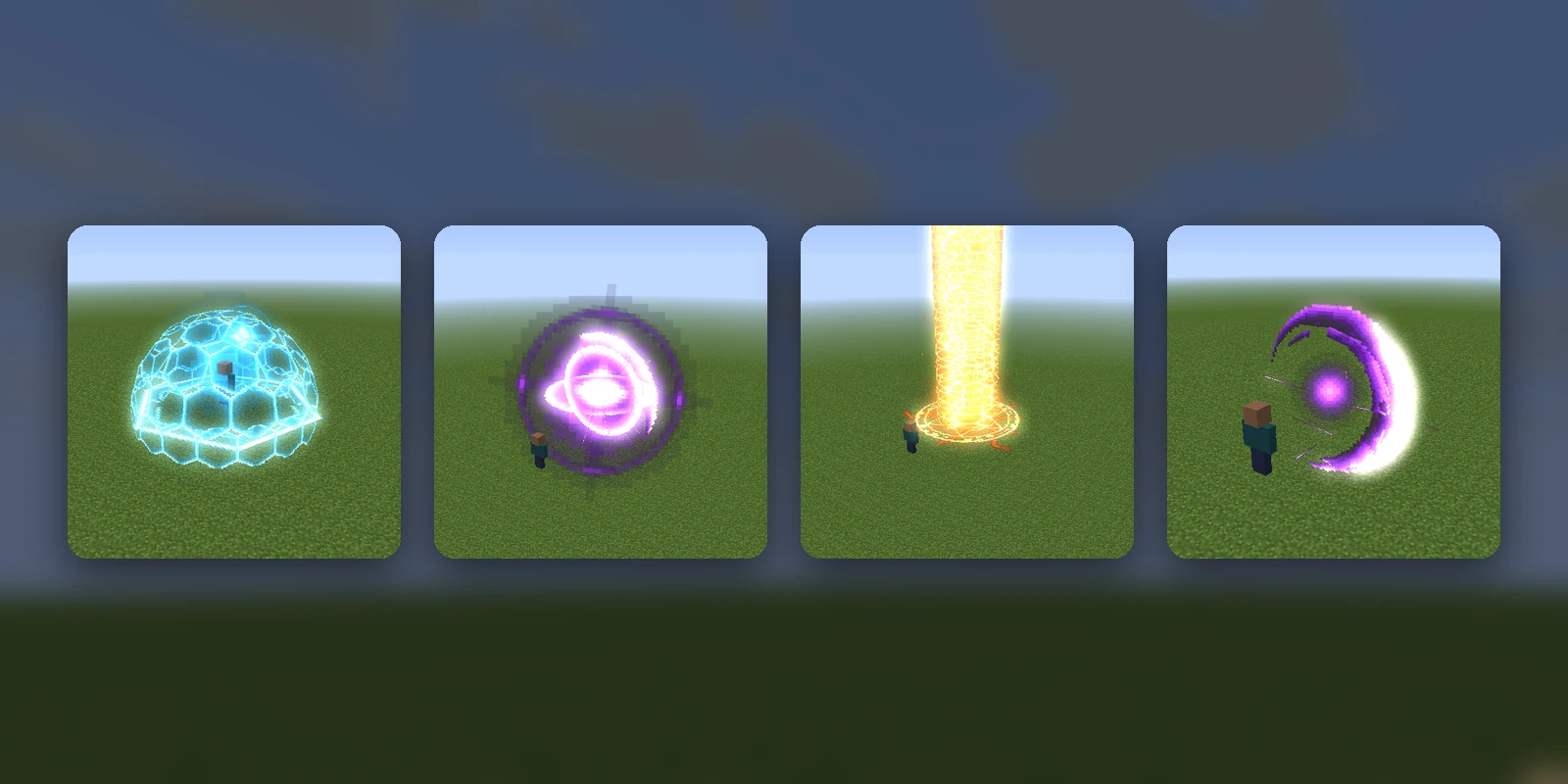
A VFX is a spell or ability effect drawn in the world out of glowing sprites: a sword slash, a ring of ice spikes, a lightning storm, a black hole, a tornado, a shield that takes a hit and shatters. It plays where a player stands, facing the way they face, with its own sounds.
Making one#
Press Add asset and pick the VFX tab. Either describe it ("a meteor shower that leaves glowing craters") and Studio builds the whole effect, which costs AI Credits (from 30) and takes a minute or two, or pick one of the 10 presets, which are free and ready at once: Void Slash, Frost Nova, Thunderstorm, Pillar of Light, Black Hole, Starfall, Sanctuary Bloom, Rift Eye, Tornado and Aegis Dome.
The VFX's page#
The page plays the effect on a loop over grass and sky, the way it looks in game. Drag to look around it, and scrub through it to stop on a moment.
- Edit with AI: say what to change ("make it blue", "twice as big", "add a shockwave at the end") and Studio changes that effect.
- Play in game: plays it where you stand on the server your pack is synced to.
- Recipe: downloads the effect as JSON, which RP Engine can play from a server's own content folder.
- Publish to the Gallery: anybody can then copy it into a pack of their own.
There is no editor: a VFX is a timeline of sprites, sounds and sparks, and you change it by asking.
Effects that loop#
A server can play any VFX on a loop: for a time, a number of times, or until something happens in the game (see casting options). An effect with a loop section loops properly: its build-up plays once, the middle repeats for as long as it is wanted, and its fade plays when it stops. Without one, the whole effect plays again from the start.
Describe one that should go on ("a burning aura that lasts until I stop it") and Studio gives it a loop section, or ask an existing one with Edit with AI ("make the middle loop"). The page previews the loop going round twice.
Playing it in game#
A VFX needs RP Engine 0.2.20 or newer on the server and
Minecraft 1.21.4 or newer. Sync your pack, then press Play in game, or run
/rp cast studio:<id>, where the id is the last part of the page's address. /rp cast stop ends every
effect playing.
The sprites travel in your pack, so a player sees a VFX only when their pack has it. Players who haven't synced see nothing, rather than missing-texture cubes.
Limits#
- Minecraft 1.21.4 or newer. Older versions get nothing, and there is nothing for Bedrock yet.
- 48 VFX per pack.
- Every sprite is an entity. An effect stops adding sparks and debris once it has 240 sprites alive (its fixed layers can take it past that), and a server keeps 4,000 alive across every effect by default (the oldest effects end to make room). Server owners can change that; see what it costs.
- A plain exported zip can't play one. The zip carries the pictures; what plays them is RP Engine.