
Building
Vehicles
A Vehicle is a 3D Model people can ride and drive: a go-kart, a rowing boat, a biplane. You make the model as usual and convert it. Then you say where people sit, how it handles, which animation plays when, what it sounds like, and what comes out of its exhaust. The cubes, textures and animations are still edited in the model editor.
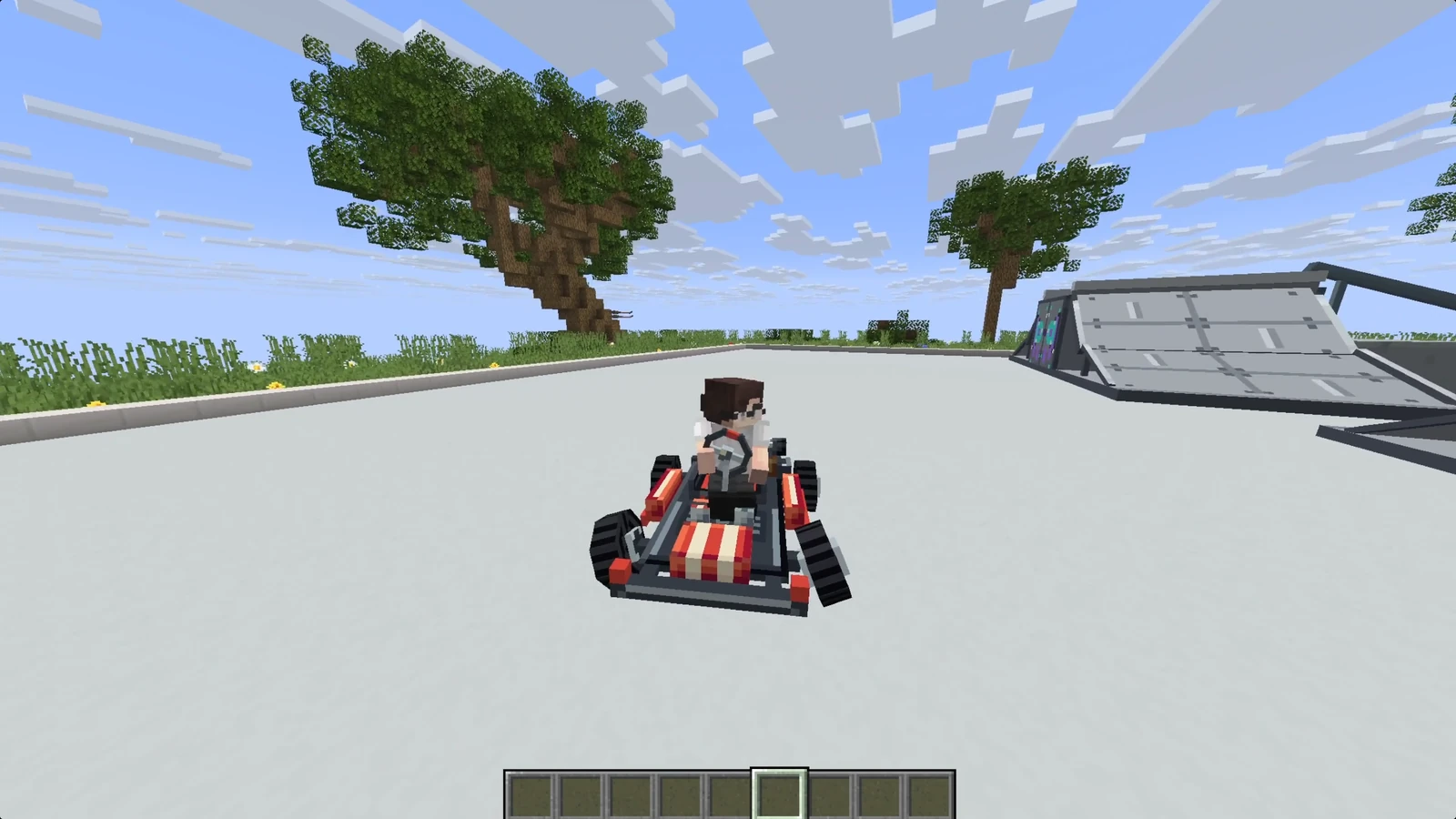
Vehicles need the RP Engine plugin on your server, which is what makes them drivable. Our test server has it.
Making one#
- Make the model. Generate, upload or build it, as on the Models page. Build it facing +Z (the front of the block), because that's the way it drives and the way the driver looks.
- Convert it. On the model's page, press Vehicle in the header, or right-click the model's card and choose Convert to…. The vehicle editor opens straight away. From then on it's on the pack's Vehicles tab rather than under Models.
- Add a driver seat, then as much of the rest as it needs. A vehicle without a driver does nothing in game.
Then press Animate with AI: it sets up the moving parts and the riders in one go, and is how most vehicles get finished.
The vehicle editor#
The model sits in the viewport with its seats, hitbox and effects drawn over it. Settings are in the panels beside it, and changes save on their own.
Moves through#
| Medium | In game |
|---|---|
| Land | Falls, drives on blocks, and steps up one block like a player |
| Water | Floats on water; on land it drags |
| Air | Flies once it's going fast enough, and sinks when it slows |
A land vehicle can also be set to Jumps: Space hops it a block and a half instead of being the handbrake. Use it for a dirt bike or a board.
Handling#
| Setting | What it is |
|---|---|
| Speed | Top speed in blocks a second, 1 to 60. A kayak is about 6, a car 18, a plane 30 |
| Acceleration | How quickly it gets up to speed and stops |
| Turning speed | Degrees a second at full lock |
| Weight | 1 to 100. How it pushes mobs aside and settles, rather than real physics |
| Turn on the spot | Pivots without moving, for tanks, hovercraft and diggers. Leave it off for anything with wheels |
| Hitbox | Width, height and length in blocks: what you click to get in, and what stops it at a wall |
Size (Drawn at) scales the model, which is how you make a bus or a ship bigger than the three blocks a model can be on its own. Seats and effects scale with it; the hitbox and handling don't.
An air vehicle also has Flight: Takeoff speed, Climb rate, Dive rate, and Stall sink, how fast it drops once it's too slow to fly.
Test fast vehicles in game
Passengers' positions are only sent twenty times a second, so above about 20 blocks a second they can look jumpy. The driver looks fine, because their own camera follows the steering.
Riders#
One driver and up to seven passengers. For each seat:
- Where it is: drag it in the viewport, or type an exact position in the model's pixels.
- Pose: Sitting puts the rider's backside on the point, Standing puts their feet there.
- Which way it faces: front by default. A passenger can face backwards, and a skater stands side-on.
- Hide the rider: for a seat whose occupant shouldn't be drawn.
The driver steers and passengers ride. Anyone gets in by right-clicking the vehicle and out by sneaking. Show capes decides whether riders' capes stay on while they're aboard: right for a motorbike, wrong for a go-kart.
Animations#
A vehicle plays the model's own animations, and the state map says which plays when. Each state has a slot for the vehicle and a slot for each rider. A rider's slot takes an emote: pose one on the vehicle from here, or make a new one for that state.
| State | When |
|---|---|
| Airborne | Off the ground with nothing holding it up: a jump, a fall, a plane in flight |
| Turning | Turning harder than a nudge |
| Reversing | Moving backwards |
| Moving | Moving forwards |
| Idle | Standing still |
| In water | In water with nothing above applying. A moored boat is Idle |
The list is in order of priority: the first state that's true and has an animation plays. A blank state falls through to the next, so a vehicle with only Moving filled in plays that while turning too. If Idle is blank, a still vehicle plays nothing.
Changes of state blend smoothly, and a wheel keeps its angle from one state to the next.
Animate with AI#
Animate with AI (15 credits) does all of this for you. It groups the model's cubes into bones (wheels, steering, rotor, paddle), puts a rider in every seat, and writes a looping animation for each state, bodywork and people together: wheels rolling, hands on the wheel, a passenger holding on. A part a rider uses, like a paddle, follows their hands.
Choose the States to animate, and tick Set it up too to also have it plan the handling and seats from the model. Run it again for one state to redo only that one.
Then look at it in game and fix what's wrong. A wheel that rolls backwards is one keyframe in the animation.
Sounds#
One sound per state, so an engine can idle quietly and work harder when moving. Pick one from the pack, or make a new one in the sound editor. In game the sound follows the vehicle.
Effects#
Exhaust smoke, spray off a hull, a rotor's downwash. Each effect has a Particle effect, where on the model it's Drawn at, which states it Fires while, and how much: count, spread, speed, how often, colour and size. Add as many as you need.
Vehicle status (crash damage)#
Tick Enable GTA-style crash damage for vehicles that take damage. Light knocks do little; a hard crash dents that corner of the body, can tear off parts, makes it handle worse, and a destroyed vehicle stops responding.
- Durability: 1 is standard. 2 takes half the damage, 0.5 twice as much.
- Detachable model parts: the bones that can break off. Mark the real wheels, so losing one drops that corner and slows the vehicle down.
- Further switches cover whether crashes hurt the people aboard, whether a wreck smokes and burns or explodes, and whether water writes it off.
Needs the Vehicle Status addon
Crash damage is done by the Vehicle Status addon for RP Engine, which the server has to install alongside it. See the addons page. Without it, the settings are kept but nothing takes damage.
Seeing it in game#
- Sync the pack: press Sync and run the
/rp sync <code>it shows on a server running RP Engine. That sends the pack to you there. Or press Give in-game on the model's page while you're on the test server. - Use the item to park the vehicle where you're looking. It stays where you leave it.
- Right-click to get in. On Paper 1.21.4 and newer, W and S drive, A and D steer, and Space is the handbrake (or the jump). In the air, Space climbs and S descends. On older servers, right-click speeds up, left-click slows and reverses, and you steer by looking.
- Fix it from the game.
/rp editopens the vehicle in this editor from the server's copy, and Send writes it back. See Editing from the server.
What the plugin does with a vehicle, driving on each server version, and writing one by hand in YAML.
Exports#
The vehicle settings reach RP Engine when you sync the pack or serve it with Distribution. The plain Java and Bedrock downloads and the ModelEngine export carry the model, but not the vehicle. The ItemsAdder, Nexo, Oraxen and CraftEngine exports turn it into furniture you can sit in, but those plugins can't drive it.