
Content
Custom blocks
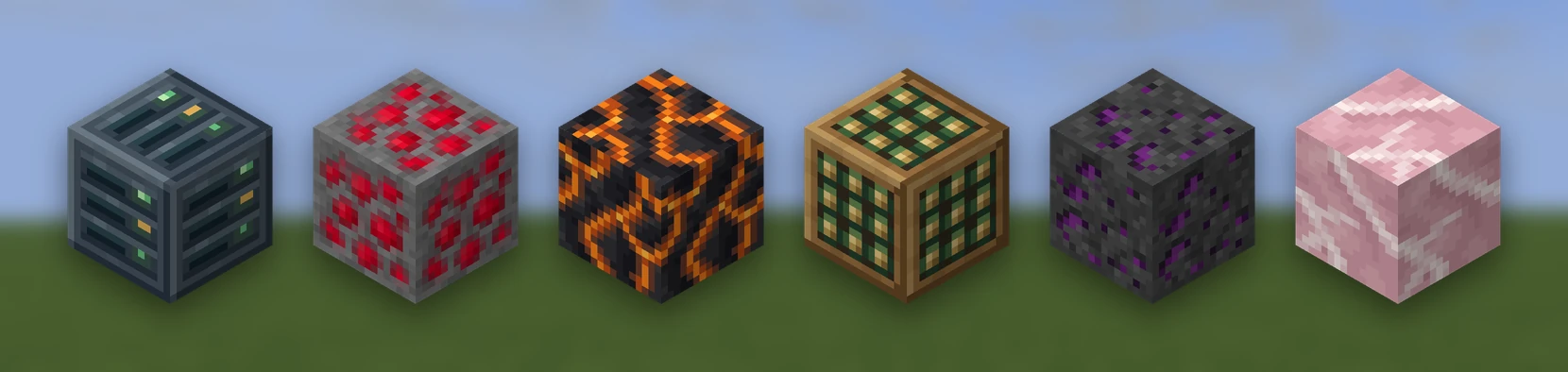
A custom block is a real block players place, mine and stand on: an ore, a machine, a crate, a flower, a set of stairs. For decoration that does not need to be mined or walked on, a placed model is usually the better choice (see the end of this page).
Blocks go in YAML files in the blocks/ folder of your pack inside
plugins/RPEngine/content/ (your content folder), with
their models in assets/models/.
# blocks/ores.yml
ruby_ore:
  base: note_block     # note_block | mushroom_stem | tripwire (a plant)
  model: ruby_ore      # assets/models/ruby_ore.bbmodel
  hardness: 3.0        # stone is 1.5
  tool: pickaxe        # what has to be held for the drop
  drop: mypack:ruby    # default: itself
  light: 0             # 0-15, what it gives off
  sound: minecraft:block.stone.place
Every block comes with an item that places it, with nothing extra to declare.
/rp give mypack:ruby_ore gives you one.
| Field | What it does |
|---|---|
base | Which vanilla block it is made from. note_block (49 available), mushroom_stem (63) or tripwire (a plant) |
model | A .bbmodel or Java model under assets/models/ |
hardness | How long it takes to break. Stone is 1.5, dirt 0.5, 0 is instant |
tool | pickaxe, axe, shovel, hoe or sword. Leave it out for anything |
drop | A content ID. Defaults to the block itself |
light | 0-15. See Light |
sound | Played over the base block's own sound, on place and break |
name, lore | For the item that places it, as on an item. Without them it has the base block's name |
actions | What it does when placed, right-clicked or mined, as on an item |
RP Engine handles breaking itself, with the crack animation, so hardness and
tool work as they would on a vanilla block. With the wrong tool the block
still breaks but drops nothing, like stone with a shovel.
Light#
light: makes a block glow. The engine places a real light block in an empty
space beside it (above it where it can) and removes it when the block is broken
or blown up. It only ever removes a light it placed. The glow is one level
dimmer on the far side than a vanilla lamp's.
For a block that lights up when powered by redstone, use
shape: bulb.
No sound of its own
A custom block keeps its base block's sounds. sound: plays yours over the
top rather than replacing them.
Turning, and states#
A block can face the player, lie along an axis, or have several states, each drawn its own way:
kiln:
  model: kiln
  rotate: horizontal   # horizontal (a furnace) | all (a dispenser) | axis (a log)

safe:
  model: safe
  properties:
    facing: facing        # facing | facing-all | axis | boolean | a list of values
    open: boolean
  appearances:            # a state, or part of one, and the model it wears
    "open=true": safe_open
    "facing=east": { y: 90 }               # the block's own model, turned
    "facing=east,open=true": { model: safe_open, y: 90 }
  click: open             # a right-click turns this property to its next value
rotate: is the short form. It turns the one model the way the game turns a
furnace, a dispenser or a log, so draw the model facing north.
The long form lists properties: and gives appearances: for them. The most
specific appearance that matches a state wins, and a state no appearance
matches uses the block's own model. facing, facing-all and axis are set
when the block is placed (facing the player, or along the face it was placed
against). Every other property starts at its first value and changes through
click:, growing, or an action.
Every state uses up the pool
A block facing four ways uses four of the 49; one that also opens uses eight.
/rp blocks shows how many are left.
Adding a property to an existing block later keeps the blocks already in your world unchanged.
random: picks one look each time a block is placed, the way vanilla varies
flowers:
cobbles:
  random:
    - cobbles_a
    - { model: cobbles_a, y: 90 }
- cobbles_bPlants#
base: tripwire (or plant) makes a block like string: no collision, broken
at a touch. That suits a flower, a fern or a pebble.
daisy:
  base: plant
  model: daisy           # usually a cross model: parent minecraft:block/cross
Only tripwire in a state normal string never uses is taken, so tripwire traps still look normal.
Two plants, or thirty-two, depending on Paper
On a normal server only two custom plants fit, because tripwire changes
its state to match the string beside it. On Paper, set
block-updates.disable-tripwire-updates: true in config/paper-global.yml
and thirty-two fit. Nexo, Oraxen and ItemsAdder ask for the same setting.
RP Engine reads Paper's setting at start. blocks.tripwire-frozen in
config.yml (default auto) overrides it if your Paper
config is somewhere else. Setting it to true when tripwire is not frozen
makes neighbouring plants turn into each other.
Growing#
A crop is a plant with stages:
tomato:
  base: plant
  stages: [tomato_0, tomato_1, tomato_2]   # an age property, one model per stage
  grow:
    every: 2m            # about this long per stage (30s, 5m, 600t)
    light: 9             # the least light it grows in
    bone-meal: true      # bone meal moves it a stage
grow: moves a property (age, or the one named by property:) to its next
value until the last. Each stage is a state, so a three-stage crop uses three
of the pool. Growth survives a restart, and only loaded chunks grow, as in
vanilla.
Stairs, slabs, doors and other shapes#
A note block is always a full cube to the game. For other shapes, a custom block takes over a whole kind of vanilla block, and the game handles everything that kind does:
ruby_stairs:
  shape: stairs          # stairs | slab | door | trapdoor | grate | bulb
  texture: block/ruby    # every face; or textures: { top, bottom, side }

oak_gate:
  shape: door
  textures: { top: block/gate_top, bottom: block/gate_bottom }
  item-texture: item/gate   # a door's item is a flat picture
The parts are made from your textures the way the game makes its own: a
stair's straight run and both corners, a door's eight halves. So a stair joins
its neighbours into corners, a slab stacks into a double slab, and a door opens
by hand and by redstone. To draw the parts yourself, name a model for each with
models: { straight: ..., inner: ..., outer: ... } instead.
| Shape | What it is | Parts |
|---|---|---|
stairs | A stair | straight, inner, outer |
slab | A slab, and two of them stacked | bottom, top, double |
door | A two-high door | bottom_left, bottom_left_open, bottom_right, ... top_right_open |
trapdoor | A trapdoor | bottom, top, open |
grate | A solid block you can see through: leaves, glass | block |
bulb | A block that lights up when redstone switches it | off, on |
What a shape costs#
Each custom shape uses up one kind of vanilla block. RP Engine takes waxed copper blocks, because they never change on their own and are rarely built with (Oraxen and CraftEngine use the same ones). Slabs also take the petrified oak slab, which survival players cannot get.
So each shape has room for four custom blocks (five for slabs), taken in the order weathered, exposed, oxidized, then fresh copper. Doors, trapdoors, grates and bulbs need Minecraft 1.21, where copper versions of them were added. Bulbs are taken brightest first, and a bulb's light level is its copper's: 15, 12, 8, then 4.
Players' own waxed copper keeps working
When a player places a waxed copper block of a kind that was taken, it goes down as the unwaxed version (which looks the same), is marked so it never ages, and gives back the waxed item when broken. Honeycomb and axes work as usual, and waxed copper in newly generated chunks (trial chambers) is handled the same way.
Waxed copper of that kind already in your world before it was taken shows the custom look instead, because nothing can tell it apart.
base: minecraft:spruce_stairs takes a kind you choose. Every spruce stair on
the server becomes yours, so pick one nobody uses.
What else a block does#
palm_log:
  rotate: axis
  strip: { into: stripped_palm_log, drop: bark }   # what an axe makes of it
lamp_off:
  click-into: lamp_on      # a right-click turns it into another block
ash:
  falls: true              # falls like sand
vault_door:
  blast-resistant: true    # explosions leave it standing
crate:
  storage: { type: chest, rows: 3, title: Crate }  # as a placed model's
storage: takes the same types as a placed model (see
Working furniture). Breaking the block or
blowing it up spills what is inside; a shulker keeps it inside the item
instead.
An explosion drops the custom block, not the note block underneath, and pistons will not push a custom door or plant.
What it really is#
The game cannot add new blocks, so a custom block is a vanilla block in a state nothing else uses, showing your model. Every custom-block plugin works this way, and it has some costs worth knowing before you design a hundred.
Back up blocks.json
plugins/RPEngine/blocks.json records which block state is which custom
block. If you lose it, every custom block on the server turns into a
different one, and no reload fixes it.
IDs are added in the order they are first seen and never renumbered, so adding or removing a pack does not change blocks already placed.
- The pool is small: 49 note blocks, 63 mushroom stems. A note block
changes its instrument to match the block beneath it, and nothing can stop
that, so only the note and powered states can tell custom blocks apart.
/rp blocksshows how many are left. - Note blocks are taken over. On a server with note-block custom blocks, a
plain note block still looks normal, but a custom one does not play a note.
Nothing in vanilla ever changes a mushroom stem, so
mushroom_stemis the better base when you do not need the larger pool.
Furniture still wants a placed model
A placed model has no pool, no limit and no mapping to lose, and can be any shape. Use a custom block for what a model cannot be: something you mine, something that holds you up, something a piston should not move.
Moving a world from another plugin#
Pack definitions come across from ItemsAdder, Nexo and Oraxen and CraftEngine automatically. Blocks already placed in a world mostly do not: each plugin numbers its note-block, mushroom and tripwire states its own way, so those blocks show as whatever RP Engine gave that state. Furniture placed by another plugin is that plugin's own entities. Both have to be rebuilt or remapped by hand.
Shapes are the exception. Oraxen's stairs, slabs, doors, trapdoors, grates and bulbs, and CraftEngine's stairs, slabs, doors and trapdoors, keep the same vanilla block kind when imported, so the ones already in your world carry on working.