
Content
Screens
A screen is your own artwork drawn behind a container window, such as a chest or a furnace, so a shop or menu looks the way you designed it. The slots are still the real container's.
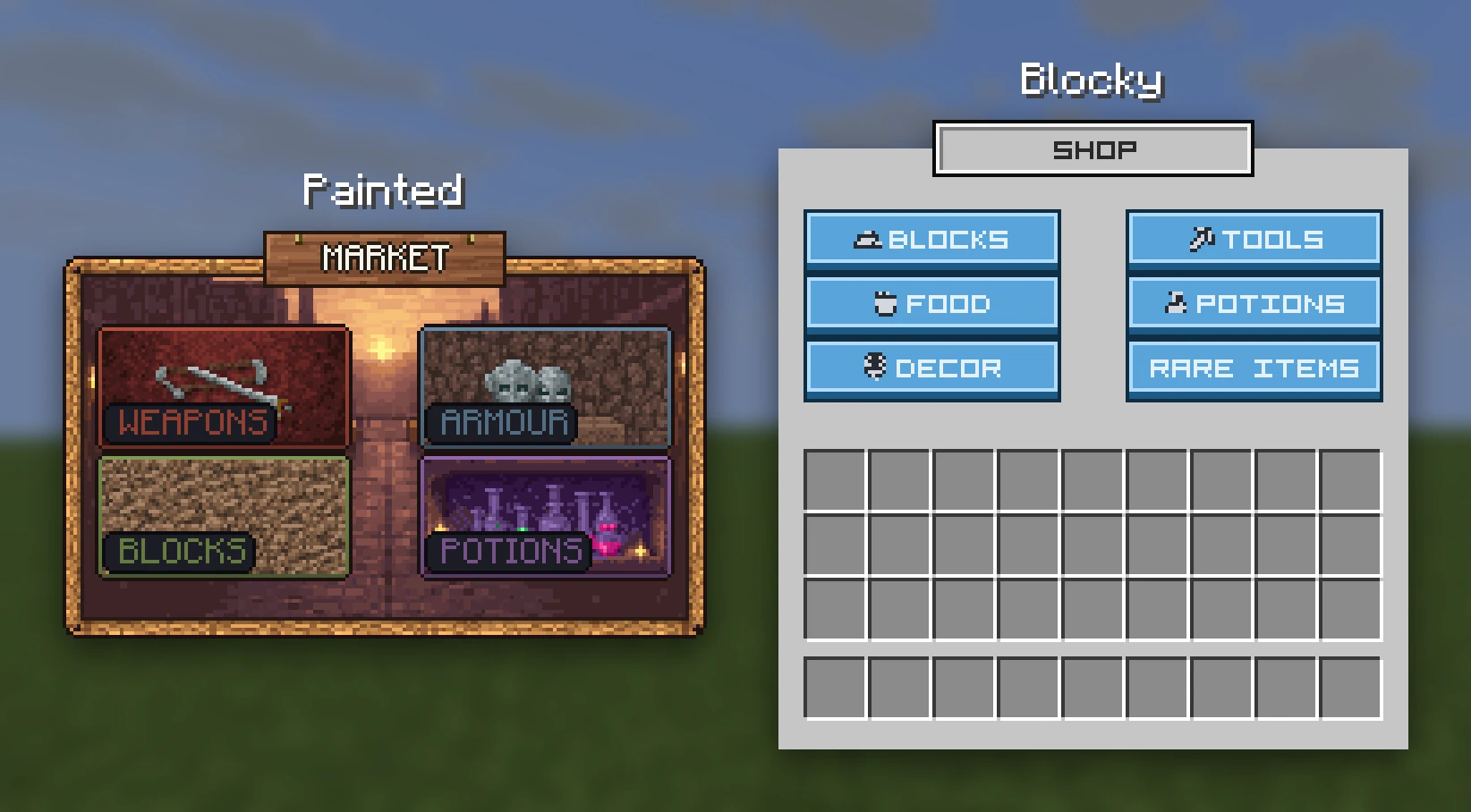
# screens/menus.yml
shop:
  file: shop             # assets/textures/gui/shop.png. Defaults to the id
  container: chest_9x6   # the real container it opens as
Put the YAML in a screens/ folder of your content folder
and the picture in its assets/textures/gui/. Draw the sheet 256×256 with the vanilla window art centred on it, and say
which container it was drawn for. RP Engine works out the position from that.
You can draw outside the window freely (a title plate above it, a frame round
it) without moving anything.
After /rp reload, /rp screen mypack:shop [player] opens one (mypack is
the content folder's name). /rp screens lists them.
The container decides the position#
The setting that goes wrong
container: positions the picture as well as choosing the slots. Declare a
five-row sheet as a six-row chest and the whole screen sits nine pixels out,
with nothing in game to say why.
| Containers | |
|---|---|
| Chests | chest_9x1 to chest_9x6 (the default is chest_9x6) |
| Others | dispenser, hopper, anvil, beacon, brewing, crafting, enchanting, furnace, grindstone, loom, cartography, stonecutter |
Any other name is refused at load, and the console lists the valid ones.
height, ascent and offset can be set by hand for art that isn't laid out
the usual way, but normally you leave them out.
The "Inventory" label#
While a pack holds any custom screen, the word "Inventory" disappears from every container screen, the player's own inventory included. The game draws that label on top of everything, so hiding it everywhere is the only way to stop it showing through your art. A server with no custom screens is unaffected.
Opening one from a plugin#
A screen is artwork, not a menu: RP Engine draws the background and doesn't
decide what the slots do. The picture is a run of characters in the window's
title, so to fill the slots yourself, open the container the art was drawn for
with that run as its title. Icons in the plugin API gives
you the characters.