
Content
Placing a model
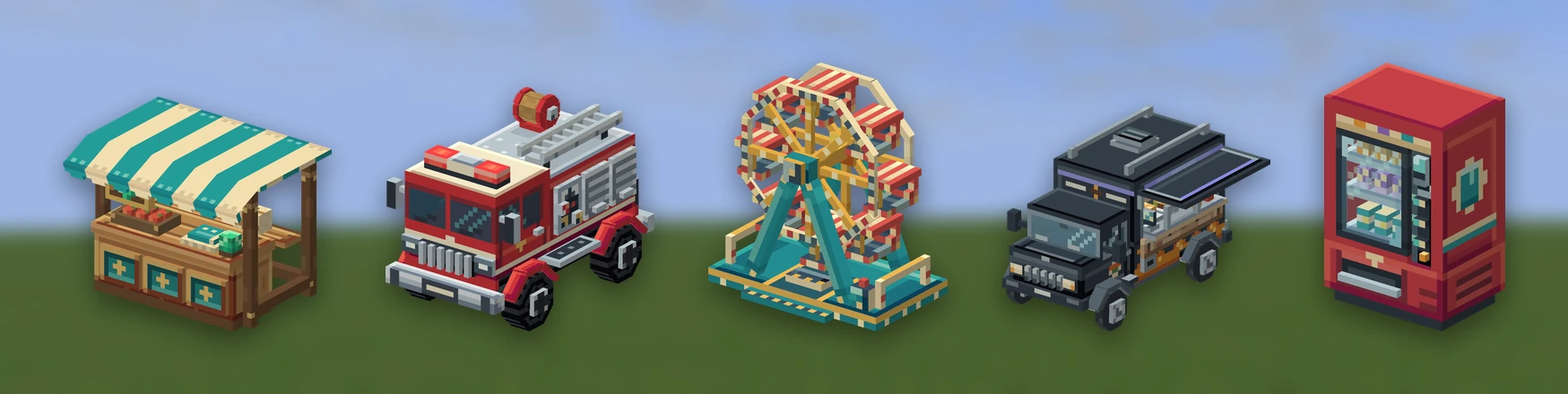
A placed model is furniture, decoration or a prop: a chair, a lamp, a statue. A player holds the item, right-clicks the ground, and the model appears there at its true size. Punching it picks it back up.
You make one by giving an item a place: block. The model
is drawn by a display entity (an invisible entity whose only job is to show
a model), not a block, so it can be any shape and there is no limit on how many
kinds you have.
Making one#
Put the Blockbench project and a YAML file in your pack's folder inside
plugins/RPEngine/content/ (your content folder):
content/mypack/
  items/furniture.yml
assets/models/chair.bbmodelchair:
material: PAPER
model: chair # assets/models/chair.bbmodel
name: "&eOak Chair"
place:
facing: cardinal # cardinal | diagonal | free | fixed
scale: 1.0
solid: false # true gives it something to walk into
vehicle-collision: true # false lets vehicles drive through it
seat: 0.5 # sit on it, this far above its base. 0 is no seat
light: 0 # 0-15, what it gives off
surface: floor # floor | wall | ceiling | any
drop: mypack:shard # what breaking it gives back. Default: itself
random: # each one put down a little different
rotation: 180 # degrees either side of its facing. 180 is any way
rotation-step: 90 # optional: turn in whole steps
scale: [0.8, 1.2] # or 0.8-1.2: a size between the two
permission: mypack.chairRun /rp reload, then /rp give mypack:chair to get the item. Right-click
the ground to place it, and punch it to take it back. Breaking it in creative
mode gives nothing back.
The item and the placed model share one ID (mypack:chair). Every key under
place: is optional: place: {} is a model that just stands there.
How big it is#
A placed model is the size the Blockbench file says it is: 16 model units to
the block, so a model built to y=32 stands two blocks tall. If a lamp looks a
block tall when you built it three, check the cube coordinates in the model.
scale: multiplies the size, for when you want the same model in two sizes.
Making each copy a little different#
random: gives every copy a player puts down a turn and a size of its own, so
decorations placed in a row don't all look the same. Needs RP Engine 0.2.57.
| Key | What it does |
|---|---|
rotation | Degrees either side of the way facing: would have turned it, 0 to 180. 180 is any direction |
rotation-step | Turns only in whole steps of this many degrees. 90 keeps a boxy piece on the grid, 45 gives eight ways. Leave it out for any angle |
scale | Two numbers, [0.8, 1.2] or 0.8-1.2: a multiplier picked between them, on top of scale:. 0.1 to 10 |
Each copy rolls once, when it's placed, and keeps that turn and size for good,
through restarts too. The final size is kept between 0.125 and 8 times the
model's own. A plugin placing a model through Models.place gets exactly what
it asked for, with nothing random. A model sent from Studio can carry the same
settings, set on its page there.
Which way it faces#
facing: | How it turns |
|---|---|
cardinal | North, east, south or west, like a placed furnace. The default |
diagonal | Eight directions |
free | Exactly the way you were looking |
fixed | Always the same way, for something with no front |
What players can hit and walk into#
The hitbox (what you can punch) is measured off the model, so a two-block
statue can be hit anywhere you can see it. width: and height:, in blocks,
override it.
A display entity has no collision, so players walk straight through a placed
model. solid: true puts an invisible barrier block in the model's own block
space and removes it when the model is broken. That suits a bench, not a rug.
The barrier is one block, whatever shape the model is.
Whether vehicles drive through it#
vehicle-collision decides whether vehicles are stopped
by the model. It is on by default and separate from solid:, which is about
players on foot.
A vehicle is tested against the model's real cubes, not a box round them, and no blocks are placed for it. You can drive a go-kart between the legs of a table or under an archway, and a fence stops you along its whole length. Any placement angle works.
- Turned cubes keep their angle, so a turned slab is a ramp a vehicle drives up.
- Anything up to a block high is climbed like a kerb, and stairs built from stacked cubes are climbed a tread at a time.
- A piece a vehicle can climb also holds it up, so a row of platform models is a bridge.
Set vehicle-collision: false for things that should have no effect at all: a
road marking, a manhole cover, a decal.
Seats, light, surfaces and drops#
seat:, light:, surface: and drop: are covered on
Seats, light and surfaces.
Furniture that does something#
A piece can also be a container, a jukebox, a lamp or door a click switches, a sofa that joins the pieces beside it, or something that grows into another piece over time:
place:
  storage: { type: chest, rows: 3 }
  jukebox: true
  states:
    - { model: mypack:lamp_on, light: 15 }
  connects: true
  grow: { into: mypack:rose_stage2, after: 2m }
See Working furniture for each of them, and for which one a click goes to when a piece is several at once.
Animation#
If the .bbmodel has keyframes in it, the piece moves. See
Animation. Bones can also carry hitboxes and nametags;
see Bones that do something.
Who may place what#
permission:on the item decides who may use it, which includes placing it. Without one, anybody holding it may.- WorldGuard: the
rpengine-placeregion flag allows or denies placing and breaking models in a region. See WorldGuard. ModelPlaceEventis for any other rule, from your own plugin. Cancel it and the model is not placed and the item is not used up. See the API.
Placing never replaces a block: the space has to be empty. Right-clicking a chest, door or other block you can use opens it as normal; sneak to place against it.
After a restart, or when a model is removed from the pack#
A placed model is saved with the chunk it stands in, not in a separate file, so it survives a restart and moves with a world you copy.
If a pack stops declaring a model, everything already placed stays where it is
with no art until the pack declares it again. /rp models lists the models
around you and marks these orphans, and /rp purge removes the orphans and
nothing else.