
Content
3D objects
Needs RP Engine 0.2.10 or newer.
A 3D shader object is something a shader draws in the world rather than a block model: a black hole, a portal, a ball of fire, a bomb that goes off. You make them in Studio (see Shaders). RP Engine puts them in the world and drives them: which state each one shows, where it is, which way it faces and how big it is. The client animates every change smoothly.
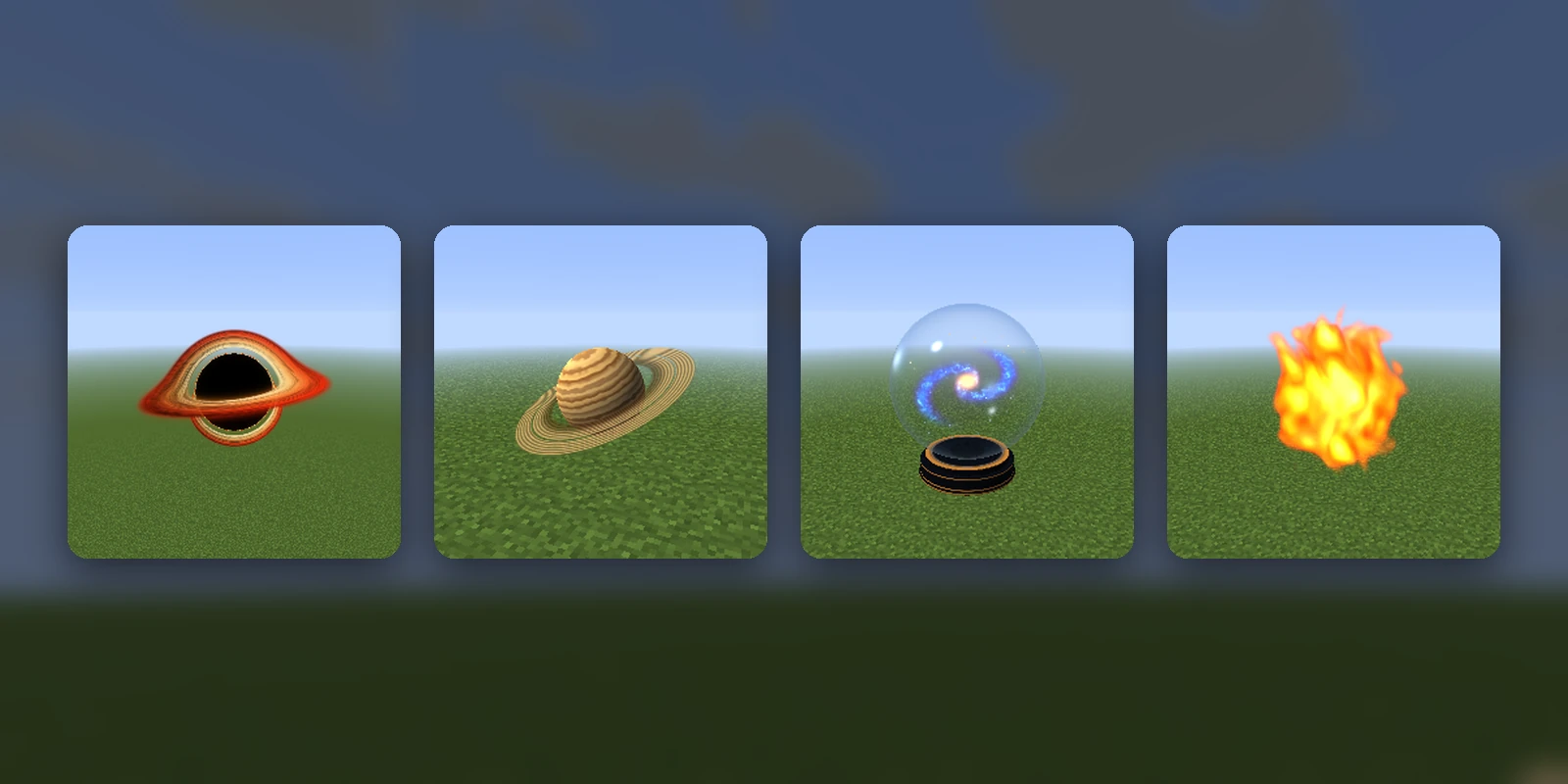
Requirements:
- A server on Minecraft 1.21.4 or newer.
- A pack built for 26.2, and players on a version that pack draws objects for.
These are different from the HUD shader objects that /rp shaders and
/rp shader show on a player's screen.
Getting one on a server#
An object pushed from Studio is already known to the server as studio:<id>.
Put one down and try its states:
/rp objects
/rp object spawn studio:portal
/rp object state opening
/rp objects lists every object with its size, states and sequences.
States#
States are the object's looks, defined by its code: a portal might have idle,
opening and open. Entering a state starts its clock, so a one-shot (an
explosion, a portal opening) plays from the start for everyone watching, and
the object can blend from the state before. A state left alone for three
minutes is shown as finished.
A placed object keeps its place, state, turn and size through a restart. A sequence or move that was running does not carry on.
Commands#
| Command | What it does |
|---|---|
/rp objects | Lists the objects, their states and sequences |
/rp object spawn <id> [size] [x y z] [world] | Puts one down in front of you, or at those coordinates. size is its diameter in blocks |
/rp object state <state> | The nearest object enters a state. With no name, lists its states |
/rp object replay | Plays its current state again from the start |
/rp object play <sequence> | Runs one of its sequences |
/rp object stop | Stops its sequence and any move in progress |
/rp object move <x> <y> <z> [time] [ease] | Moves it. ~ is where it is now, ~2 two blocks on |
/rp object turn <yaw> <pitch> <roll> [time] [ease] | Turns it, in degrees. ~ adds to its current angle |
/rp object size <blocks> [time] [ease] | Makes it bigger or smaller |
/rp object seed <0-15> | A number the object's code may use to vary its look |
/rp object remove [all] | Takes the nearest one away, or every one |
Everything except spawn acts on the nearest object within 64 blocks (for
state and play, the nearest one that has that state or sequence). time
is ticks (40) or seconds (2s), and leaving it out makes the change instant.
ease is linear, in, out or in_out (the default).
Every verb works from a command block or through execute. From the console
only spawn works, and it needs a size and coordinates.
Permissions#
Each verb has its own node, so you can let players run an object's sequences without letting them put new ones down. All default to op.
| Permission | What it allows |
|---|---|
rpengine.objects | /rp objects |
rpengine.object | Every /rp object verb below |
rpengine.object.spawn | spawn |
rpengine.object.state, .replay | state, replay |
rpengine.object.play, .stop | play, stop |
rpengine.object.move, .turn, .size, .seed | move, turn, size, seed |
rpengine.object.remove | remove |
Sequences#
A sequence is a script of steps an object runs: drop from the sky, grow,
explode, disappear. They live in the objects/ folder of a
content pack, in YAML. A file can define new objects or
add sequences to one that already exists, including one pushed from Studio:
# objects/portals.yml
extras:
  for: studio:portal          # adds sequences to an existing object
  sequences:
    open:
      - state: opening
      - turn: {yaw: 90, by: true, over: 2s, async: true}
      - size: {times: 2, over: 2s}
      - state: open
Run it with /rp object play open.
A full object, defined by hand:
# objects/bombs.yml
nuke:
  model: rpai:shader3d_0       # the item model that draws it
  size: 3                      # diameter in blocks when placed
  states: [idle, detonate]     # in the order the object's code numbers them
  sequences:
    drop:
      - state: idle
      - move: {by: [0, 22, 0]}                       # no "over": at once
      - wait: 10                                     # ticks; or 0.5s
      - move: {by: [0, -22, 0], over: 2.5s, ease: in}
      - sound: {name: entity.generic.explode, volume: 16, pitch: 0.5}
      - size: {to: 40, over: 2s}
      - state: detonate
      - wait: 45s
- remove| Field | What it is |
|---|---|
model | The item model that draws the object. Needed unless for is set |
size | Diameter in blocks, 0 to 256. Defaults to 1 |
states | The state names, in the order the object's code numbers them. Up to 16 |
for | Instead of model: the id of an existing object to add sequences to |
sequences | Named lists of steps |
Steps run in order:
| Step | What it does |
|---|---|
state: name | Enters a state (nothing happens if it's already in it) |
replay: name | Enters it, or starts it again if it's already in it |
seed: 0-15 | Sets the seed |
move: {to | by, over, ease, async} | by: [x, y, z] from where it is now; to: [x, y, z] from where it was when the sequence began |
turn: {yaw, pitch, roll, by, over, ease, async} | Degrees. A missing axis stays put; by: true adds instead of setting |
size: {to | times, over, ease, async} | A diameter in blocks, or a multiple of the current one |
wait: time | Ticks (40) or seconds (2s) |
sound: {name, volume, pitch} | Plays a sound at the object |
command: "..." | Run by the console. {x}, {y}, {z}, {world} and {size} are the object's |
settle | Shows the current state as finished |
remove | Takes the object away |
restart | Back to the first step, for a sequence that repeats |
A move, turn or resize holds the sequence until it's done, unless it has
async: true. Any single timing is capped at ten minutes. Mistakes in a file
are reported when the content loads, and the step or object is skipped.
From a plugin#
engine.shaderObjects() places and drives objects from Java:
ShaderObjects objects = engine.shaderObjects();
if (!objects.supported()) return;                     // 1.21.4 or newer
ContentId nuke = ContentId.parse("studio:nuke").orElseThrow();
ShaderObject bomb = objects.spawn(location, nuke).orElseThrow();

bomb.moveBy(new Vector(0, -20, 0), 50, Easing.IN);    // ticks
bomb.turnTo(90, 0, 0, 40, Easing.IN_OUT);             // yaw, pitch, roll
bomb.resize(40, 2, Easing.LINEAR);                    // diameter in blocks
bomb.state("detonate");
bomb.play("drop"); // a sequence from objects/at(entity), near(location, radius) and loaded() find objects already
placed. A handle lasts as long as its entity. Everything here runs on the main
thread. See the Java API for getting the engine.