
Content
Text Effects
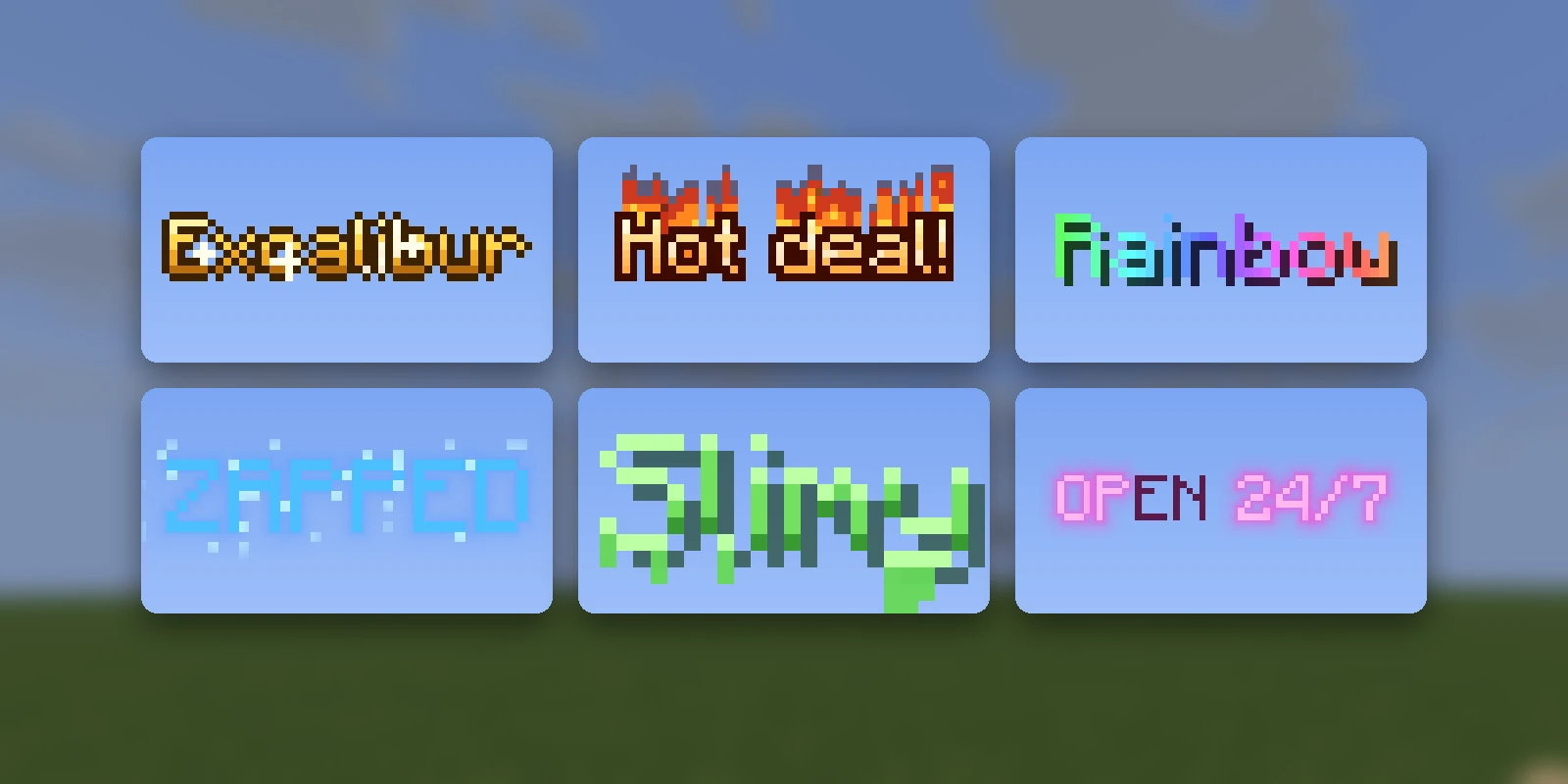
A Text Effect makes text move, burn, shine or fill with water. It works anywhere the game draws text flat on the screen: item names and lore, chat, titles, the action bar, scoreboards, inventory and menu titles.
# mypack/text-effects/effects.yml
fire:
  preset: blaze
# mypack/items/sword.yml
flame_sword:
material: DIAMOND_SWORD
name: "<fx:fire>Flame Sword</fx>"
lore:
- "&7A <fx:fire>blazing</fx> &7blade"That is all it takes. RP Engine puts the effect into the server's pack, and
<fx:fire> works in every name, lore line, message and title a content file
writes.
How it works#
An effect is drawn by the pack's text shader, and it is keyed to one exact
colour. Any text in that colour wears the effect, however it got there.
<fx:fire> is the colour, written for you.
This is why it works with other plugins too: anything that can colour text can
use an effect. /rp effects shows each effect's colour, so you can write it as
&#fc80f8 in a plugin that takes hex, <#fc80f8> in MiniMessage, or
{"color":"#fc80f8"} in /tellraw.
A player whose pack lacks the effect sees the text in that colour: very nearly white.
Text standing in the world (signs, name tags, text displays) is drawn as ordinary text in that colour. Only text drawn flat on the screen wears the effect.
Presets#
RP Engine comes with Studio's 32 presets. Name one with preset::
fire:
  preset: blaze
rainbow:
  name: Rainbow     # what /rp effects calls it; the key if absent
  preset: spectrum
/rp effects presets lists them all with a line on each. A few to start with:
| Preset | What it looks like |
|---|---|
seasick | Each letter bobs on a wave a little behind the one before it |
typewriter | Letters are typed in one at a time, with a blinking caret |
spectrum | A rainbow that runs along the line and scrolls |
enchanted | Purple with a glint sliding across it, like an enchanted item |
legendary | Banded gold with a sweeping shine and sparkles |
blaze | Pixel flames licking up off every letter |
frostbite | Ice-blue letters with snow on top and icicles underneath |
fishtank | Each letter is a tank of water with a rolling surface |
corrupted | Bursts of glitching, colour splitting and dead pixels |
Your own code#
An effect is one GLSL function. It is given a pixel of a letter and returns that pixel's colour:
wobble:
  name: Wobbly
  pad: [0, 3, 0, 3]   # room it draws into: left, top, right, bottom, in pixels
  glsl: |
    vec4 effect(Fx f) {
        float y = sin(f.t * 4.0 - f.o.x * 0.4) * 1.5;
        return inkShadow(vec3(1.0, 0.9, 0.3), G(f.p - vec2(0.0, y)), G(f.p - vec2(1.0, 1.0 + y)));
    }
Or keep the code in a file of its own, with a path from the content folder:
shimmer:
  file: mypack/text-effects/shimmer.glsl
What the function is given:
| Field | What it is |
|---|---|
f.p | Where in the letter this pixel is, in the letter's own pixels: 0 to 8 across and down |
f.q | The centre of the letter pixel f.p is in. Use it for a pixel-art look |
f.o | The letter's top-left on screen. One value per letter, so sin(f.t - f.o.x * 0.3) gives each letter its own phase |
f.g | This pixel's place on screen, for a pattern across the whole word |
f.t | Seconds |
f.w | How wide the letter's ink is, 1 to 8 |
And what it can call: G(p) (the letter's alpha at p, 0 outside it),
N4(p) and N8(p) (the most of the neighbours), inkDist(p), the hashes
h1, h2 and h3, vnoise and fbm, hsv(h, s, v), over(a, b) and
inkShadow(colour, alpha, shadowAlpha). An effect draws its own shadow, which
is why the example reads the letter twice.
pad is room to draw outside the letter (flames, a glow, a bounce), up to 12
pixels a side. Without it, anything outside the letter is cut off.
Try code in Studio first
A text shader that does not compile makes the game refuse the whole pack,
not just the effect. RP Engine refuses code that breaks the rules (no
uniforms, textures or #define, no while, every for bounded at 48 or
less), but it has no compiler, so it cannot promise yours compiles. The
presets are tested on every version. For your own code, paste it into a text
effect in Studio, which compiles it and shows it
running.
In chat#
Players can type <fx:fire>hello</fx> in chat if they have a permission for it:
| Node | What it allows |
|---|---|
rpengine.chat.effects.all | Every effect, now and later (ops by default) |
rpengine.chat.effects.<name> | One effect, by its name: rpengine.chat.effects.fire. A / in the name is a . |
A tag somebody may not use stays exactly as they typed it. chat.text-effects: false in config.yml turns it off.
Effects from Studio#
A Text Effect made in Studio needs nothing on the server: the pack carries it,
and its colour works from any plugin. RP Engine also learns its name when the
pack is synced or distributed, so <fx:studio:<id>> works too, and so does
the bare name when no content folder has an effect called the same thing.
Studio's Text Effect page shows the exact tag.
Writing tags#
<fx:fire>is a content folder's effect before a Studio one. Write<fx:mypack:fire>or<fx:studio:fire>to choose.</fx>ends it. Without one, the effect runs to the end of the text, and a second<fx:...>ends the first.- Bold and other formatting inside an effect are fine. A colour code
inside one (
&c) is that colour and no effect, because the colour is the effect. - A tag naming no effect is left as written, so a typo stays visible.
Commands#
/rp effects                   every effect, each drawn in itself
/rp effects presets           the presets
/rp effect <name> [text]      send yourself text in an effect
/rp say <text>                send yourself text with <fx:name> in it
/rp effects draws each effect in itself, so it is also the quickest way to
check that your pack has them.
Limits#
- A pack can tell 32 effects apart. Studio's effects and a content folder's take colours from opposite ends, so on one server they do not collide.
- An effect keeps its colour for good, even after it is deleted, because items
already named in it carry that colour. Delete its line in
plugins/RPEngine/text-effect-ids.propertiesto free it. - One text shader per screen. A player's game draws only one pack's text shader. If a player has a Studio pack with its own shader objects or text effects on top of the server's pack, the server's effects show as plain text for them, and the other way round. Put all of a server's effects in one place. Another plugin's text shader (BetterHud's, say) is merged as usual.
- 1.20.2 and newer get every version's shader. On an older server, only clients of the server's own version see effects.