
Content
HUD overlays
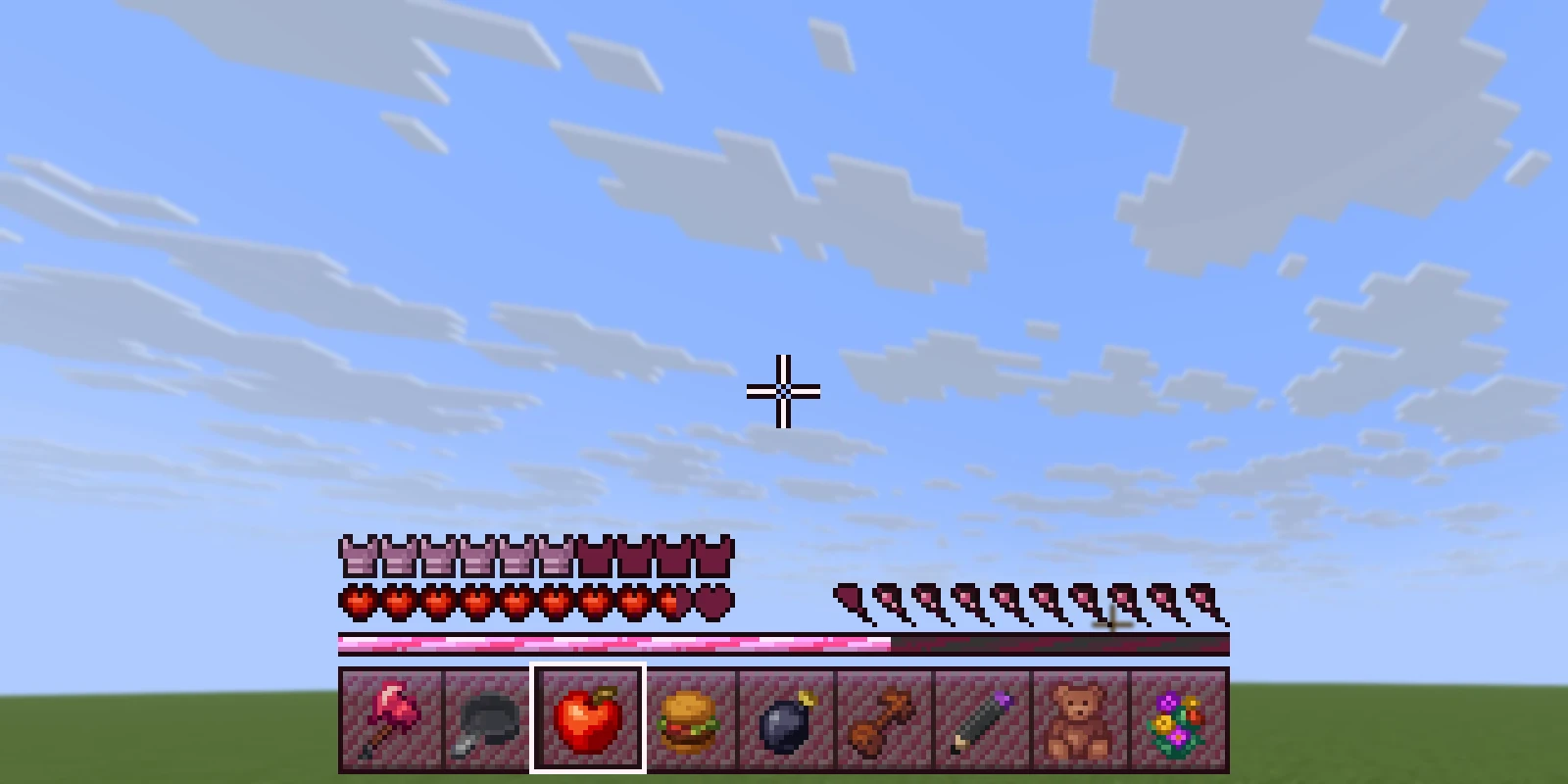
An overlay is a picture drawn on top of the game view, like a mana bar, a
compass or a frame round the screen. It sits in one of two places the game
already draws text (the action bar or the boss bar), so it needs no client mod.
Put the YAML in a huds/ folder of your content folder
and the picture in its assets/textures/gui/.
# huds/overlays.yml
mana:
  file: mana             # assets/textures/gui/mana.png. Defaults to the id
  slot: action_bar       # action_bar | boss_bar
  height: 64
  ascent: 32
  offset: 0
/rp hud mypack:mana [player] shows one and /rp hud clear [player] takes it
away. /rp screens lists overlays along with screens.
| Field | Default | What it does |
|---|---|---|
slot | action_bar | action_bar sits above the hotbar (where item names appear). boss_bar sits at the top of the screen |
height | 64 | How tall the picture is drawn, 1 to 256 |
ascent | 32 | How far up from the slot's line it is moved. Bigger is higher. Can't be more than height (it is capped, with a warning) |
offset | 0 | Horizontal shift, 0 to 512 |
When several overlays are shown at once, the one shown most recently is the one you see.
Making it change#
The picture itself is fixed. A mana bar that empties is several overlays, with something choosing which to show: usually a scoreboard or menu plugin using a placeholder, or your own plugin calling the API.
Live values in text#
Any {name} in an overlay's text is filled in for each player just before it's
sent. The first of these that knows the name wins:
- A value a plugin set with
overlays().set(player, name, value). A dialog shows the same values. - The built-ins below.
- PlaceholderAPI, if installed:
{vault_eco_balance}or%vault_eco_balance%. A placeholder with arguments works as you would write it anywhere else,%server_time_HH:mm%or%stat_{player_name}%, and is handed to PlaceholderAPI exactly as written.
A name nobody knows becomes empty rather than showing {name}.
| Placeholder | What it shows |
|---|---|
{player}, {name}, {displayname}, {uuid} | Who they are |
{health}, {health_max}, {health_percent} | Health, rounded up |
{food}, {air} | Hunger out of 20, and seconds of breath left |
{level}, {xp} | Experience level, and progress to the next as a percentage |
{xp_points}, {xp_needed} | Points into this level, and how many the level takes |
{ping} | Latency in milliseconds |
{world}, {x}, {y}, {z}, {direction} | Where they are, and which way they face |
{time}, {day} | The world's 24-hour clock, and how many days it has run |
{gamemode} | Survival, Creative, and so on |
{online}, {max_online} | Players online, and the limit |
Shader overlays from Studio#
Studio's Shaders editor makes far richer overlays: freehand paint, smooth shapes, and labels, player heads and progress bars that update live. See Shaders for making one.
On the server they have the id studio:<id>. /rp shaders lists them and
/rp shader studio:<id> [player] shows one (/rp shader clear hides it).
Rules set in Studio (for example "while holding an item") can show one with no command, and a plugin can show, hide
and feed it through the API. They are only drawn
for players who have the pack they came from.
An overlay a player is wearing is re-sent every overlays.trigger-ticks ticks
(default 2) from config.yml. A value set from a plugin is
drawn on the next tick regardless.
Shipping one in a content folder#
A Studio HUD exported as JSON can live in a content folder too:
# huds/huds.yml
hud:
  json: mypack/huds/hud.json   # path under the content folder
Its glyphs and shader go in the pack's resourcepack/ folder, and Studio's
exporter writes both. A boss-bar HUD whose picture uses its own font needs
Paper; on Spigot use the action bar.